In the Architecture and Engineering (A&E) profession, balancing tasks and ensuring high-quality output within project deadlines is a common challenge. One struggle in A&E firms is the time-consuming process of managing, maintaining, and deploying past project decisions and firm and owner standards to projects without it becoming a gymnastics exercise. In this blog, we'll explore how Deltek Specpoint’s Best Practices can simplify creating project specifications using firm/owner preferences, guidelines, and standards in a fraction of the time to improve specification efficiencies and accuracies. By leveraging this module, you'll significantly reduce the time required to create projects while also building a valuable knowledge repository for your firm—a resource to propel future project success.
Automate Spec Development for Improved Efficiencies
To enhance efficiency and reduce manual work, consider automating the development of project specifications. By doing so, you can streamline repetitive manual tasks and ensure consistency in applying firm and owner standards. With Specpoint Best Practice's flexible tagging, users can implement an intelligent tagging system to categorize project elements. This approach enables you to:
- Identify Preferred Manufacturers: Determine firm and owner-preferred building product manufacturers and easily apply them to relevant projects.
- Set Global or Project-Level Tags: Establish tags that can be applied globally or at the project level based on specific project parameters.
- Best Practice Tags: Apply best practice tags to any Specpoint content, including different product types, for user-friendly navigation.
Consider the efficiencies gained in specification development when deploying intelligent tagging, which contributes to smoother project workflows!
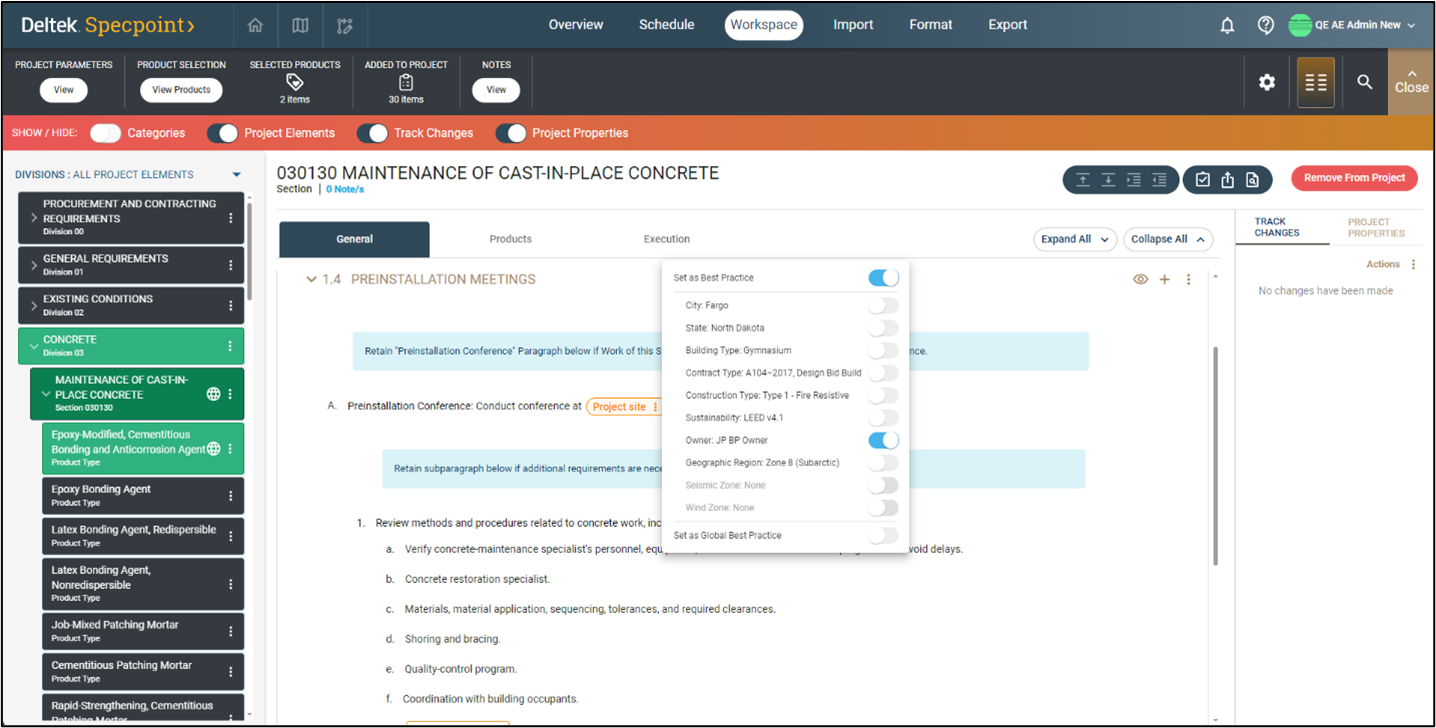 Streamline project creation using Specpoint Best Practices intelligent tagging system.
Capture and Maintain Firm Knowledge
In the A&E industry, the craft of specification writing faces challenges. As this essential skill wanes, it becomes crucial to transfer knowledge effectively for delivering accurate construction specifications. According to the 44th Annual Deltek Clarity Architecture & Engineering Study, more than half of the respondents cited the lack of specification writers as a significant hurdle. Efficient project coordination hinges on a robust knowledge base. Within your firm lies a wealth of inherent knowledge, but what happens to this asset when team members depart or retire? Unfortunately, firm knowledge is often lost.
To address this, consider leveraging Specpoint Best Practices. By doing so, firms can establish and maintain a knowledge warehouse that captures best practices and valuable lessons learned. Empowering teams to access this repository enhances project specifications. Moreover, consistently applying firm and owner standards across successive projects ensures coherence and uniformity. This repository becomes an indispensable asset, contributing to future project success.
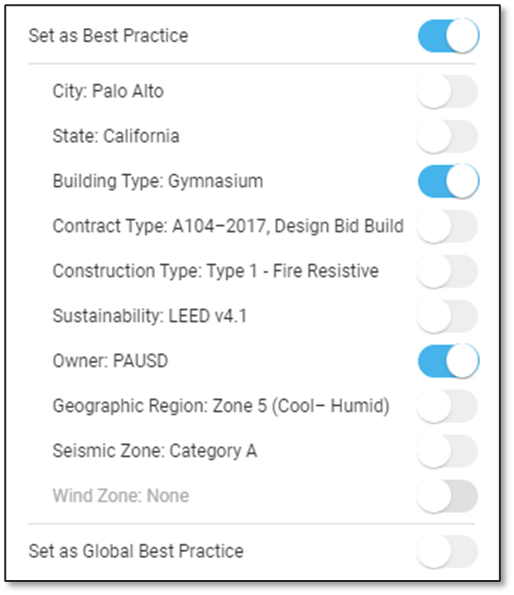
Best Practices flexible tagging allows teams to identify standards and construct a knowledge repository of firm/owner standards that are essential for the success of future projects.
Eliminate Doubt and Specify with Certainty Using Automation
Minimize uncertainty by leveraging software automation to apply precise firm and owner standards, enhancing specification accuracy and productivity. This approach reduces rework and risk by sourcing established preferences. Additionally, automation tags projects with best practices, minimizing manual effort and potential errors. With automation, firms deploy an additional level of quality assurance by ensuring consistency and adherence to firm and owner standards, leading to higher quality outcomes and fewer risks related to rework and schedule impacts.
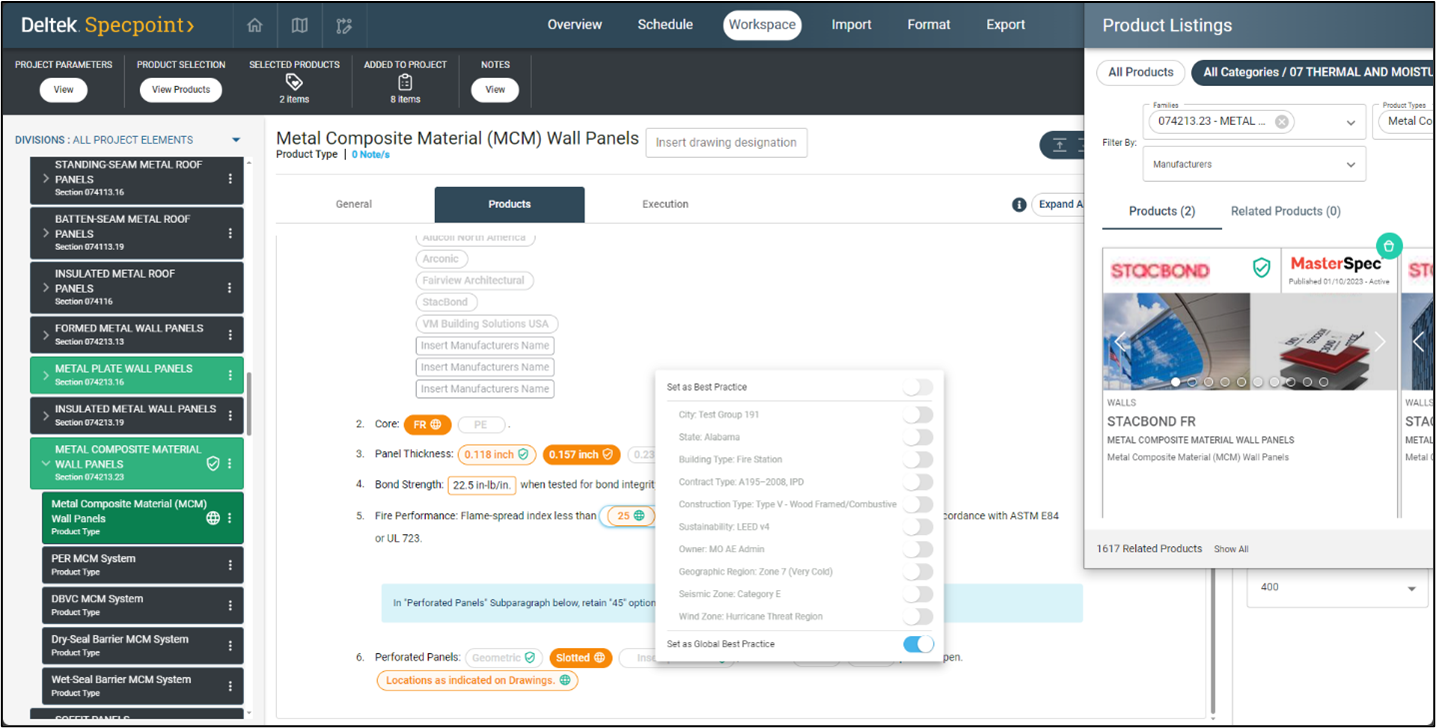 Set Best Practice tags at the project level or globally and automate project creation using Project Parameters to automatically add assigned/tagged content to the project for improved efficiencies.
Easily Implement Past Project Decisions and Firm and Owner Standards Across Projects
How does Specpoint’s Best Practices module tackle the challenge of managing and maintaining firm and owner standards while simultaneously creating a knowledge repository of lessons learned? Best Practices involves "intelligent" tags to label various elements within your project, such as assemblies, sections, product types, product cards and all section content, including pill options. These tags are linked to the defined project parameters or can be set to a global best practice. Once best practice tags are established, they can be automatically applied during project creation, streamlining the process significantly. This automation speeds up project creation. The combination of intelligent tagging and automation results in considerable time savings at the time of project creation by automatically applying firm or owner preferences to the project, eliminating manual work and the potential for human error.
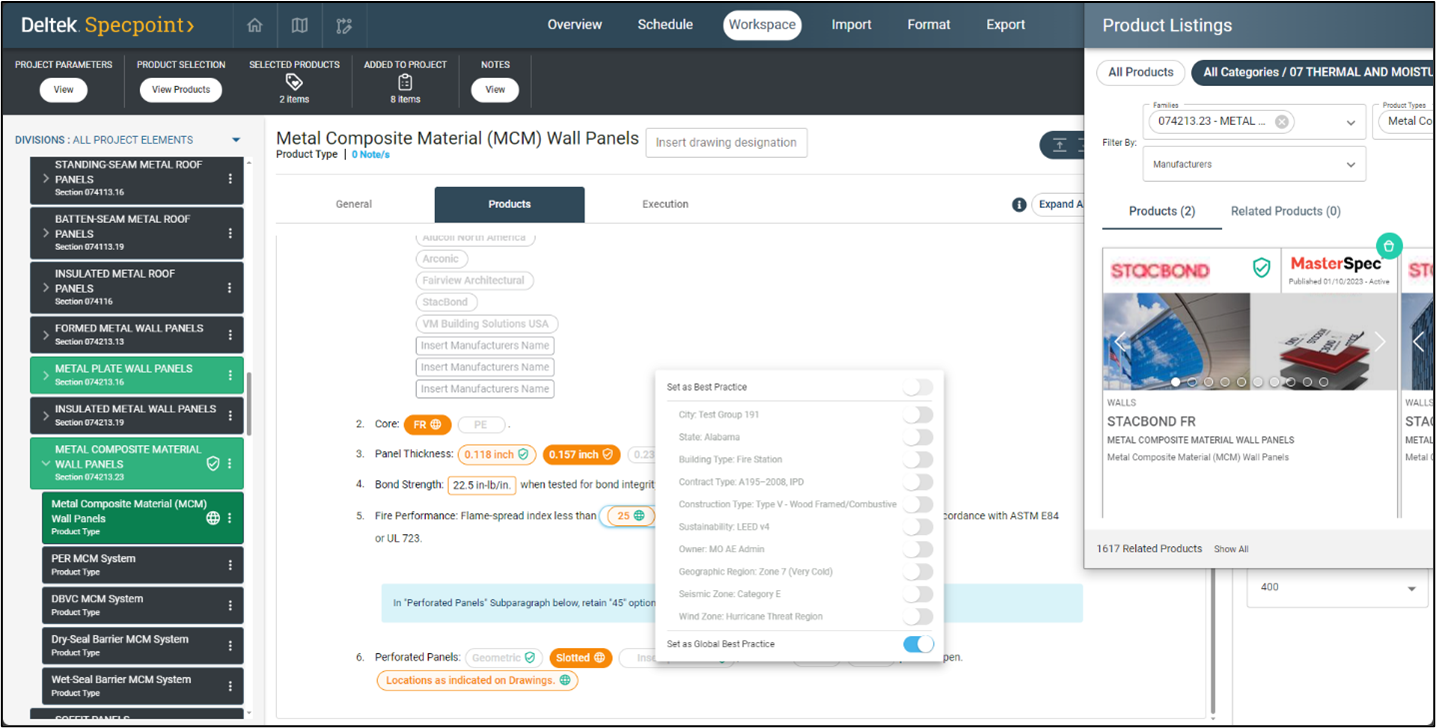 Specpoint Best Practices “intelligent” tags can be applied to assemblies, sections, product types, product cards, and all section content, including pill options.
Let’s illustrate this with an example to highlight the time-saving benefits of implementing Best Practices.
Imagine you're working on the initial pass of a project manual during the design development (DD) phase. On average, writing, reviewing, and editing the specification takes 20 minutes. Suppose your DD project manual comprises 100 architectural sections. That would amount to approximately 33.3 hours of work.
Now, with Best Practices in Specpoint, once the tagging is correctly set up, we can significantly reduce the time spent on the initial spec pass for DD. We can get it down to 10 minutes or less per specification writer. This translates to saving more than 15 hours of work.
Let's put a monetary value on this efficiency: Assuming your specification writers are billed at $200/hour, implementing Best Practices results in over $3,000 in savings per project, just from the first pass of the specification. And if you have 100 net new projects annually, that's an impressive $300,000 saved overall.
Best Practices empowers you with the potential to automatically generate 80% of your project upon creation, freeing you to concentrate on the remaining 20% during the remainder of the design phases. This streamlined approach significantly reduces the initial project setup time, enhances efficiency, and improves overall project accuracy.
Adopt Specpoint Best Practices for Firmwide Advantages
Deltek Specpoint’s innovative Best Practices module empowers A&E professionals to seamlessly maintain firm and owner standards throughout the entire design process. Specpoint’s intelligent automation takes center stage, ensuring consistent adherence to best practices across the firm and its projects. But that's not all! With Best Practices, as subject matter experts retire, their knowledge remains intact within the firm. By implementing Specpoint’s Best Practices module, you are not just managing standards; you are building a knowledge repository of recommended approaches for future project success that will improve project efficiencies, accuracy, and coordination.