Summary
Replicon Time Q4 2026 updates make connected time tracking more accurate, configurable and easier to manage. ERP integrations reduce deployment and billing friction. New pay rules and timesheet validations strengthen payroll and compliance accuracy. ZeroTime adds privacy controls and captures AI usage from development tools.
Key Takeaways:
- ERP integrations get more flexible: Enhancements across Costpoint, SAP S/4HANA, Vantagepoint, ComputerEase and QuickBooks Online improve deployment, data accuracy and financial workflows.
- Pay and timesheet accuracy improves: New compliance rules and validations help prevent payroll errors, unnecessary premiums, break violations and incorrect time entries before processing.
- ZeroTime captures modern AI work: ZeroTime captures VS Code AI sessions, including time and token usage, while new controls help keep sensitive activity private.
As organizations connect time data to more systems and navigate increasingly complex labor regulations, Replicon Time remains focused on helping teams go live faster, pay accurately, and capture the full picture of how work gets done. This quarter's release brings integration improvements that shorten deployments, compliance rules that remove manual payroll corrections, timesheet enhancements that prevent errors before they happen, and the first step toward capturing AI work with ZeroTime. Here's what's new in Replicon Time this quarter:
Address Government Contracting-specific Requirements with Enhanced Replicon Time-Costpoint Integration
The Replicon Time integration with Costpoint is now even more powerful to handle the various scenarios government contractors run into most, all through configuration rather than custom development. Customers can now:
- Sync only the users they choose: by division, cost center, or employee type such as hourly versus salaried.
- Use each employee's email address as the Replicon login name instead of using their employee IDs. This reduces the potential SSO login failures when employee IDs were used.
- Choose whether Replicon's Supervisor field comes from Costpoint's Supervisor field or Manager field or use one and fall back to the other.
- Preserve Costpoint project roles and preserve multi-level organizational hierarchies to avoid errors.
- Run the Replicon Time-Costpoint integration with an account with limited permissions instead of a full-fledged administrator account.
- Exclude non-project items such as time-off and intercompany projects.
- Ensure that an inactive/non-chargeable project once closed in Costpoint gets closed in Replicon as well.
- Ensure that the Replicon Time-Costpoint integration overrides manually assigned roles and permission sets on sync.
- Choose whether project manager and co-manager come from Costpoint's standard Project Manager field or from the Project roles.
- Experience workforce assignment changes from Costpoint in Replicon as well.
- Set a default labor category (PLC) when a time entry has no labor category associated with it.
- Handle prior-period adjustments that follow Costpoint's accounting workflow.
- Keep Replicon as the single source of truth for time when they also run another ERP, such as SAP or Oracle, for commercial work.
Accurately Classify Time in SAP S/4HANA
In SAP S/4HANA, a role can be billable while a specific assignment is not. Replicon's SAP integration now reads that assignment-level setting, so time charged against non-billable assignments is classified correctly in Replicon. This update also includes clearer error messaging.
Keep Employees on the Right Projects with Vantagepoint
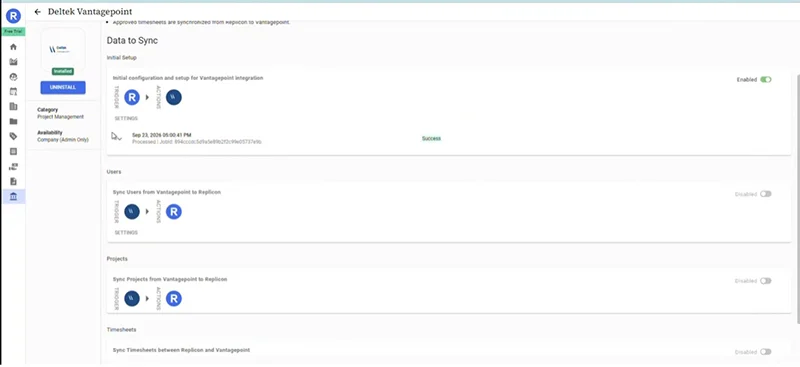
Employee-project assignments made in Vantagepoint's Project Team tab now sync to Replicon. Employees see only the projects they are assigned to, which reduces time logged against the wrong project, billing errors, and compliance risk. This capability is available now and configurable in the self-service integration UI.
Confidently Pilot the Integration with ComputerEase, Then Scale Gradually
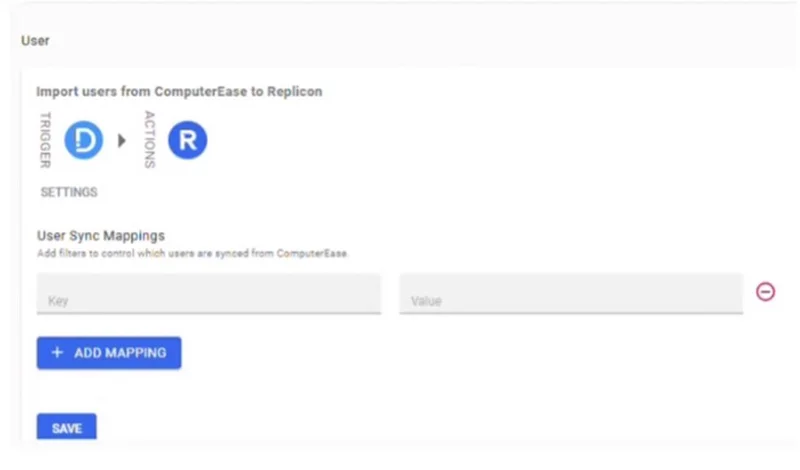
Implementation teams can now filter which employees sync from ComputerEase to Replicon by class, union, or local, directly in the self-service UI. Customers can validate time tracking with a smaller group before going live company-wide and expand later without involving the engineering team.
Eliminate Manual Invoice Fixes in QuickBooks Online
Per diem and mileage rates with more than two decimal places now sync to QuickBooks Online cleanly, so invoices match across both systems on the first attempt. Finance teams no longer need to reconcile rate mismatches by hand.
Pay Lithuanian Employees Correctly on Summary Working Time
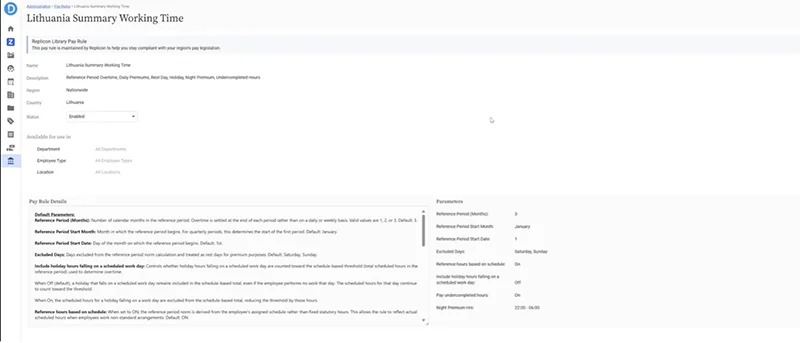
Employers with Lithuanian workforces can now pay summary working time accurately without spreadsheets or manual adjustments. The new pay rule balances hours across a reference period of one to three months, pays hours above the norm as overtime, and can pay hours the employer scheduled below the norm at half rate. It calculates the norm automatically, including the one-hour reduction before public holidays, and lets administrators choose whether to compare worked hours against statutory hours or the employee's schedule.
Avoid Overpaying Overtime in Brazil
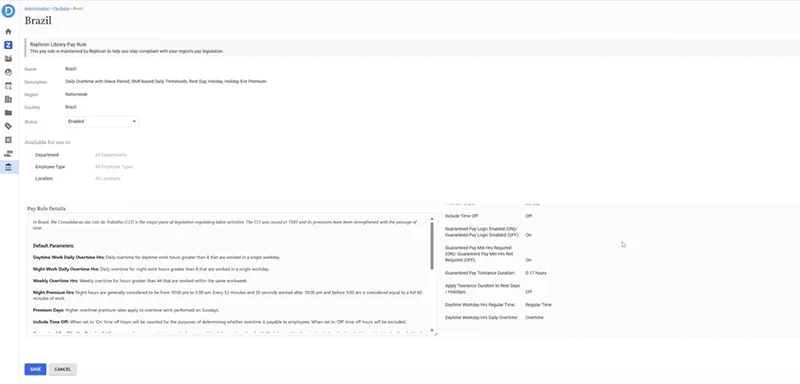
Small differences at clock-out no longer turn into overtime costs. The Brazil pay rule now applies the daily overtime grace window, with a tolerance of 10 minutes. An employee who works 7 hours 50 minutes is paid 8 hours, and one who works 8 hours 5 minutes is paid entirely at regular time. The window adapts to different shift thresholds and is fully configurable, including an option to apply it on rest days and holidays.
Pay Seventh-Day Premiums Only When They're Owed
Kentucky and the US Multistate pay rules now apply the seventh-day premium only when an employee works all seven days and exceeds 40 hours for the week. When both conditions are met, all seventh-day hours are paid at the premium rate. Short seventh-day shifts in lower-hour weeks are paid at regular rates, so you manage compliance without overpaying.
Spot Break and Rest Violations Before Timesheets Are Submitted
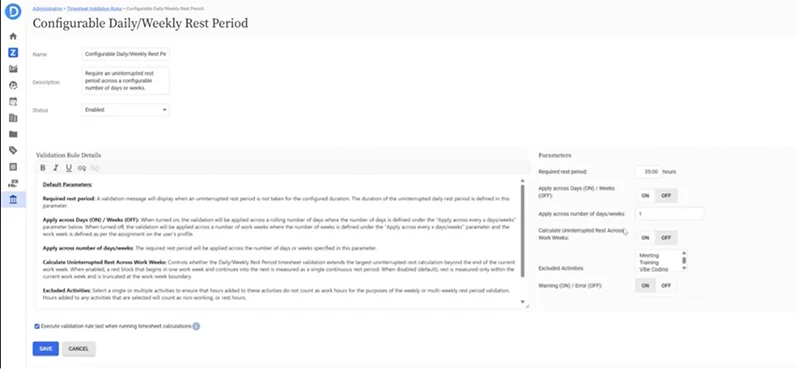
Rest break and meal break validations now work on punch timesheets, so employees see problems while they can still fix them. A new option on the daily and weekly rest period validation measures uninterrupted rest from the last punch-out to the next punch-in, even across work weeks, which removes false violations and unnecessary rework. Administrators also get an easier way to choose time-off types in validation rules, with a simple chip-style selector replacing Ctrl-click multi-select.
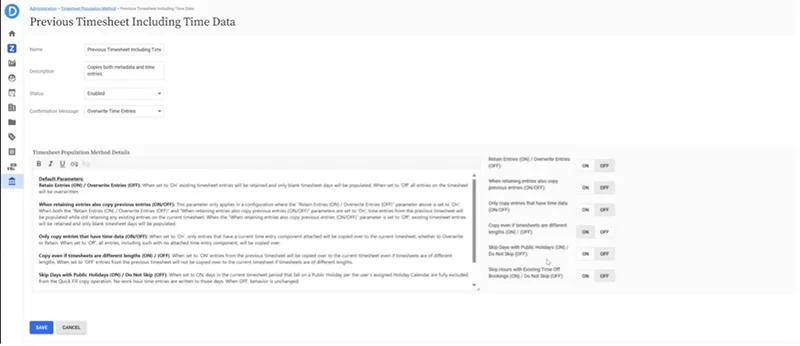
Start Each Timesheet Clean with Smarter Quick Fill
Quick Fill now checks the current billing status of every task and project, so outdated billable settings never carry into a new timesheet, and time is no longer submitted against work that is now non-billable. You can also choose to skip populating hours on holidays and on booked time off, including half days, so employees stop deleting hours they never worked. A new "Payroll without Time Off" distribution script keeps time off out of project distribution when it uses the default time-off pay code, saving employees an unnecessary step.
See Where AI Work Happens with ZeroTime in VS Code
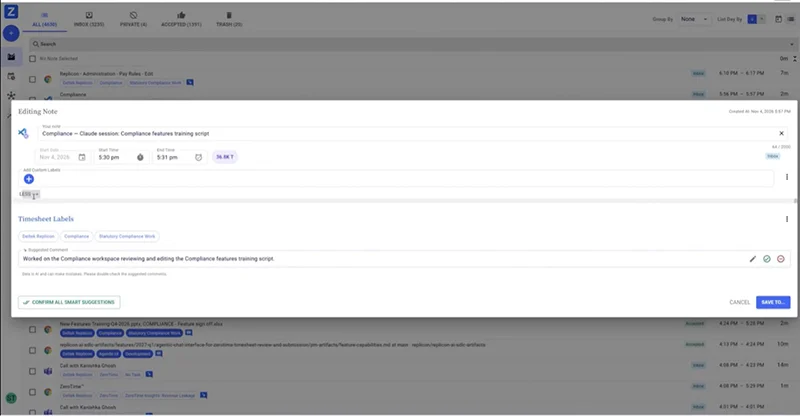
Work now starts in AI tools as often as it does in traditional applications, and ZeroTime helps you see it. The new VS Code collector captures sessions from Claude Code, GitHub Copilot CLI, and Codex, recording time spent and tokens used along with the model, workspace, and platform. It never captures prompts or responses. ZeroTime suggests the right client, project, and task, and the AI usage fields on timesheets let managers see which projects use AI and what it costs.
Keep Sensitive Work Private in ZeroTime
Employees and administrators decide what stays out of ZeroTime. Users can exclude any Outlook email category from capture, with no limit on categories, and calendar events marked private are skipped automatically. Admins can set a blocklist of websites and applications for the browser and desktop collectors, covering social media, client sites, or anything else that should never be tracked. Privacy concerns no longer stand in the way of adoption.
Recognize Your Work Instantly with Clearer Signals
ZeroTime signals from the browser and desktop collectors now describe the work you did, such as focus time on a specific presentation, instead of just naming an application. Employees can recognize, accept, and move activity to their timesheet in seconds. The redesigned Outlook add-in is more compact and supports light and dark modes, so it stays out of your way while you read and write email.
Customer Town Hall
Stay Connected
These enhancements reinforce our commitment to improving accuracy, configurability, and the everyday experience of both users and administrators. Whether it’s faster integrations, more precise pay rules, or new ways to capture modern work, each update brings your teams closer to a smarter, more efficient time-tracking workflow. To learn more about these new features, register for the Q4 Replicon Customer Town Hall and stay up to date!