It’s something that happens weekly for some, multiple times per month for others. It shouldn’t be a difficult process but, for some reason, it is. What is this difficult process with which many firms struggle? It is getting their employees to complete and submit their timesheets and expenses. To help with this arduous task, there are innovative features available in Deltek Vantagepoint that allow users to complete the process in a shorter amount of time. Let's take a look.
No Need to Choose Between Mobile and Web Browser
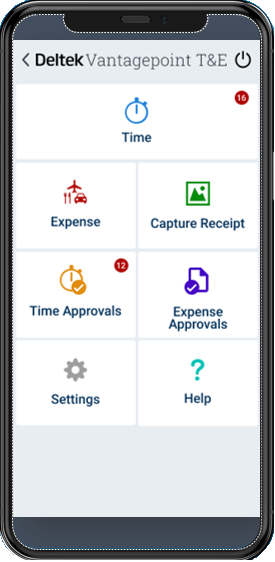
One misconception for our Vantagepoint users is that they must fill out their timesheet or expense report exclusively in either the Deltek T&E for Vantagepoint mobile app or in the web browser. But for Vantagepoint, all line-item details are saved and immediately available on both, so that you can seamlessly go back and forth between the two platforms as is convenient for you. For example, if it’s towards the end of the day and you’ve already shut down your laptop, you can easily update or even complete and submit your timesheet or expense report directly in the Deltek T&E for Vantagepoint mobile app.
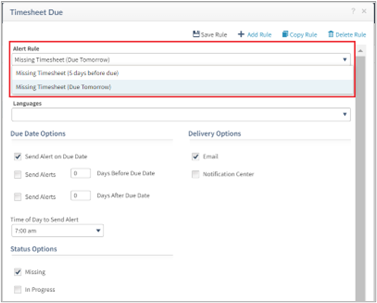
Setting Up Multiple ‘Timesheet Due’ Alerts
Sometimes, all it takes is a friendly reminder to get a user to update and submit their timesheet. Did you know that you can set up multiple timesheet due alerts? For example, a timesheet due alert can be initiated towards the start of the timesheet period for those with missing timesheets or for those who haven’t even started their timesheet yet. You also can set up another alert a few days before the end of the timesheet period and then another alert on the last day of the timesheet period, when it’s due.
One best practice tip is to customize the email subject line or message with some fun facts or some trivia; something that will have users pause and read the reminder and not simply dismiss it. For example, “Fun fact: hot water will turn into ice faster than cold water.” This makes the user pause and decide to spend an extra minute or two to update their timesheet.
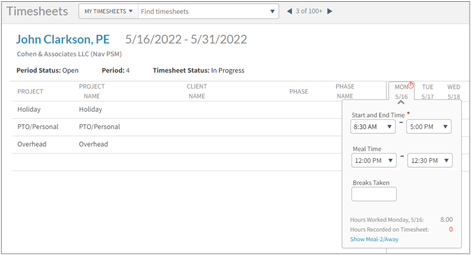
Leverage Start and End Time by Day as Clock In/Clock Out
If you have hourly employees that need to track their time with specific start and end times, Vantagepoint can help. Users can simply specify their start and end times by project or by day. There are a few Vantagepoint customers who are creatively leveraging start and end time by day for all employees as a simple clock-in/clock-out process. For example, when the user starts their day, they can go to their timesheet and enter their start time. When that user signs off for the day, they can update the end time. You can also account for meals and breaks. Additionally, this serves as a “double check” when the actual hours are entered by project to ensure that the sum of the hours for the day match the specified time.
Customer Town Hall
See What's Next for Deltek Vantagepoint
Join Deltek experts and fellow customers each quarter to discuss product vision, recent releases, and how our Vantagepoint fits your goals.
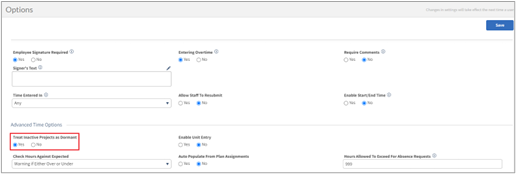
Treat Inactive Records as Dormant to Exclude from Selection
A little known, but really effective setting to aid with projects, phases, and tasks that are winding down is the Treat Inactive as Dormant setting. Vantagepoint is already filtering out dormant records, but this setting will prevent timesheet or expense report users from also seeing inactive records so that they don’t input hours or expenses against those records. This option is exclusive to timesheets and expense reports to support better quality of data and to prevent additional work in downstream processes.
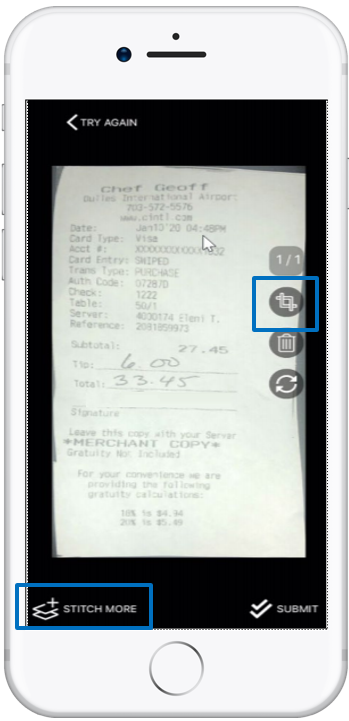
Capture Receipts Faster by Taking a Picture
Intelligent Character Recognition (ICR) recognizes printed and handwritten text, making expense reports faster and more accurate. Users can simply take a picture of their receipt and a new expense line will automatically be created with most of the fields already filled in. Users then have the option to either create a new expense report or associate that line item with an existing expense report. Either way, there’s no longer the need to keep track of that receipt.
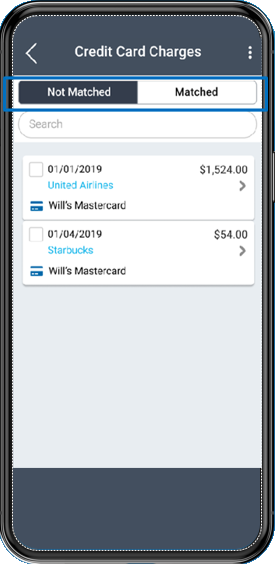
Matched vs. Not Matched Credit Card Expense Lines
Finally, as an extension of the credit card charges feature, Vantagepoint now detects and matches imported charges with existing lines. This is to help prevent the user from accidentally submitting the same expense for reimbursement twice. When the user logs into the Deltek T&E for Vantagepoint mobile app, a screen will pop up to display matched and not matched expenses for the user to confirm. This logic is also supported in the browser.
Each release of Deltek Vantagepoint expands the innovation and functionality in both the Deltek T&E for Vantagepoint mobile app and the browser to help employees complete and submit their timesheets and expense reports in a more timely and accurate way.
About the Author
As a Vantagepoint Product Manager, Waymond Eng has spent the last 24 years with Deltek, leveraging his knowledge and experiences in customer care, consulting and quality assurance to help users learn about these and other innovative features to get the most out of their Deltek products.