Manufacturers in the aerospace and defense (A&D) industry operate in one of the most demanding and highly regulated environments. At Deltek, we remain committed to supporting these organizations with purpose-built solutions that simplify complexity, drive compliance, and enhance operational efficiency.
With the release of TIP 10.19, we continue our focus on delivering customer-driven enhancements that improve usability, automation, and audit readiness across TIPQA and TIPSFE. Every new feature in this release is rooted in direct customer feedback and designed to solve real-world challenges — from improving how teams interact with data to strengthening traceability and reducing manual effort.
TIP 10.19 brings meaningful updates that help quality and manufacturing teams work smarter, stay compliant, and respond faster — whether they’re managing work orders, managing nonconformances (NC), or transitioning from legacy version to the web platform.
We’re excited to provide A&D manufacturers with tools that make everyday operations more intuitive, connected, and effective and we can’t wait for you to explore what’s new.
A More Intuitive, Modern User Experience
With TIP 10.19, we’ve continued to evolve the user interface with updates that reduce friction, increase clarity and streamline daily navigation.
TIP Branding & Logo Updates
You’ll notice a refreshed look and feel throughout TIPQA and TIPSFE. These updates align TIP with Deltek’s corporate branding and bring a more polished, modern experience across login screens, headers, and workflows.
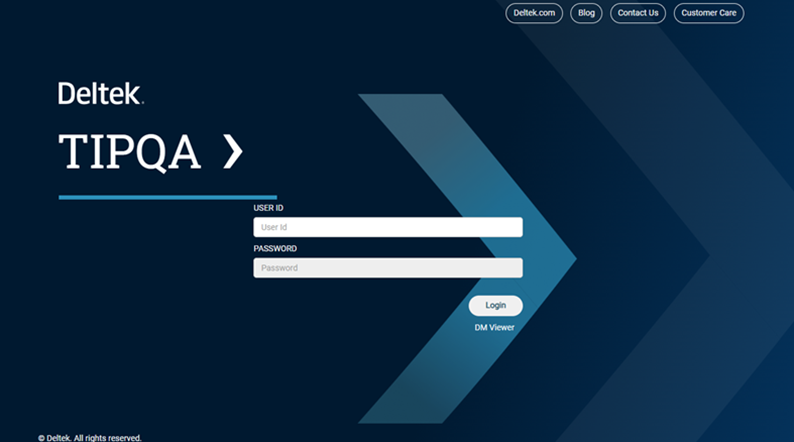
Modernized branding and visual themes
Pagination for Grid Performance
For users working with large volumes of data like Nonconformance Reports (NCRs), vendor lists, or part records, grid pagination helps improve performance by breaking results into pages. The result: faster load times and smoother navigation. Users can now spend less time waiting and more time being productive — a major win in high-volume environments.
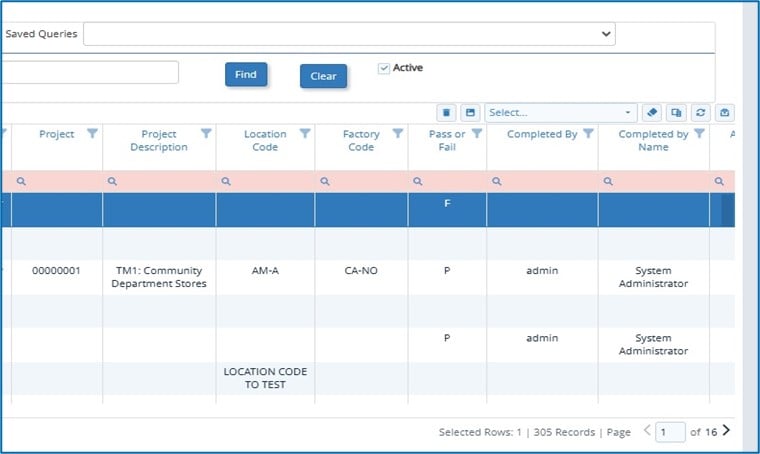
Data loaded in smaller chunks to improve performance
Smarter Workflow Automation
We’re simplifying repetitive tasks and surfacing the right data at the right time, so users can stay focused on quality, not workarounds.
Auto-Associate DM Records to Suppliers by Part Number
When you add a part to a supplier (or vice versa), TIP now prompts you with associated records helping you quickly link the right documents without manual searching. And when a part is removed, those links are automatically cleared. This simplifies supplier onboarding and reduces the risk of linking incorrect documents.
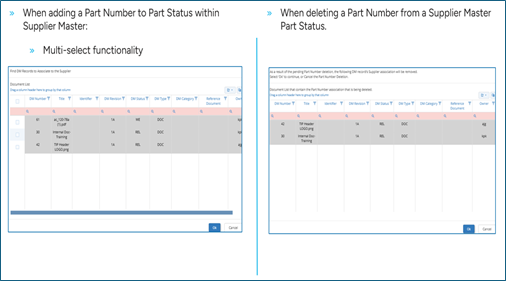
Automatically associate DM records with suppliers by adding a part number. Works in both directions and associations are auto removed when part numbers are deleted
Carry Over Attachments When Auto-Generating NCs
TIP now automatically transfers attachments (like photos and diagrams) from the originating inspection to the NC. This eliminates the need to manually reattach files, reducing effort and ensuring complete documentation from the start.
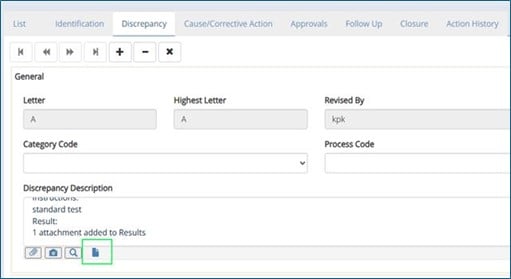
Include all attachments from the originating inspection record to automatically copy over to the NC
Stronger Audit Readiness
Audit trails have been expanded into key areas of the system, giving teams better insight into changes and stronger control over data.
Item Master Audit Trail
Users can view who changed what and when across fields like Part Number, Serial Number Control, and Alternates. This improves data integrity, makes it easy to explain part changes during reviews and makes audits smoother.
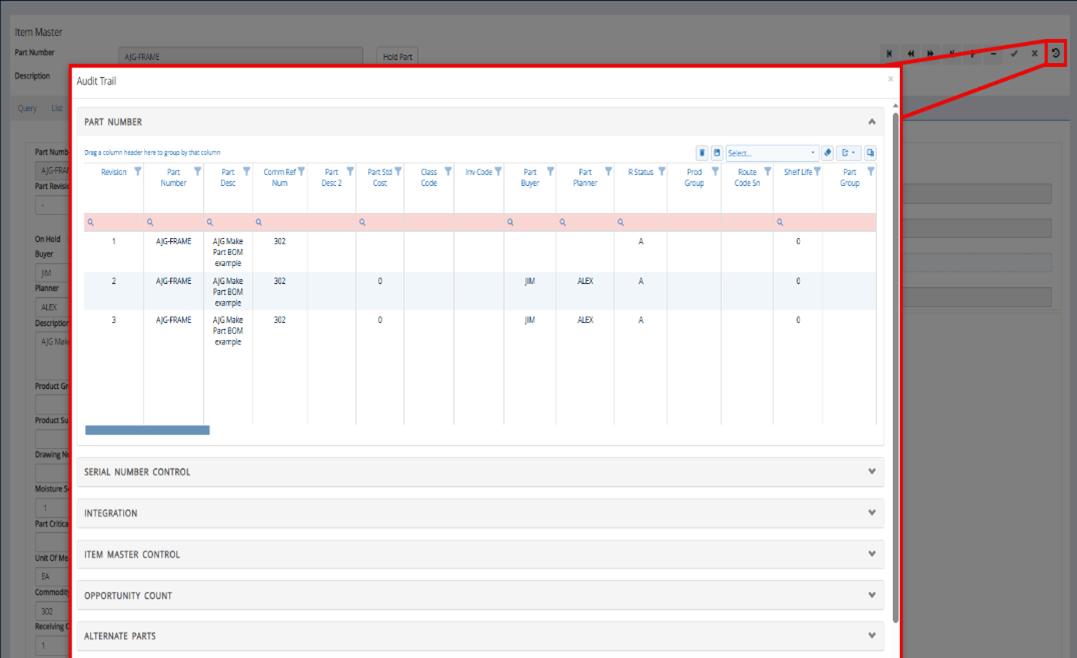
Track what changed and when across fields like Part Number, Serial Number Control, Integration, Opportunity Count, Alternate Parts, and Related Segments
Work Order Audit Trail
Monitor changes across Work Orders — including priorities, serial numbers, and notes — all from a central view. This is great for resolving issues quickly, providing clarity during escalations or audits and improving accountability across teams.
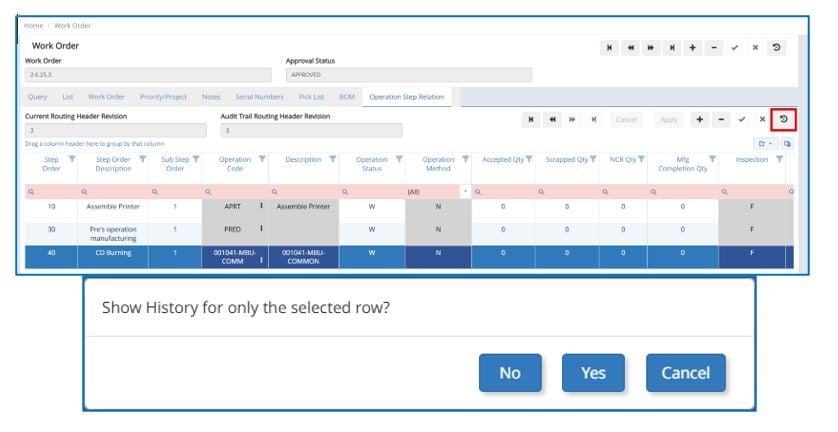
Track changes across multiple tabs, including Work Order, Priority/Project, Notes, Serial Number, and more
Task Plan: Required Comments for Date Extensions
When extending a task date, users are now prompted to enter a reason. This comment is saved directly in the planning grid and audit trail, improving transparency and helping teams defend project changes with confidence. This adds accountability and context to every scheduling decision — a must for regulated industries.
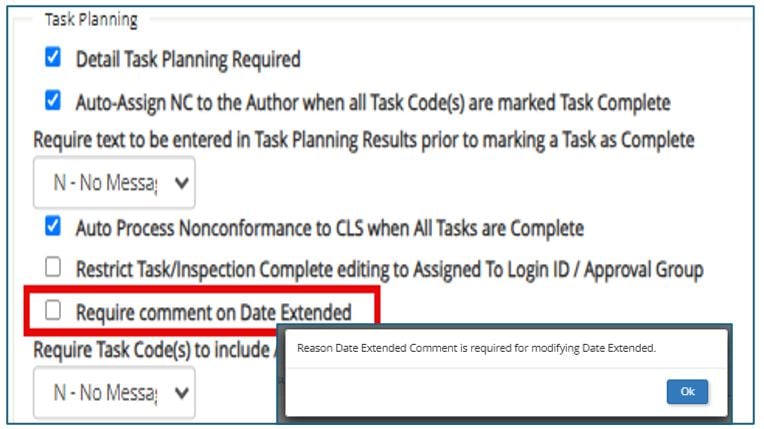
Users are required to enter a comment when extending the date in Task Planning
Compliance Made Easy
Whether you're completing inspections, addressing NCs, or managing aerospace standards, TIP 10.19 helps teams meet requirements with less effort.
Built-In AS9102 Rev C Update
TIP now supports the latest AS9102 Revision C, including new required fields like FAI Reasoning and Part Type. Built-in validations help ensure complete and compliant submissions for first article inspections to stay aligned with current industry standards.
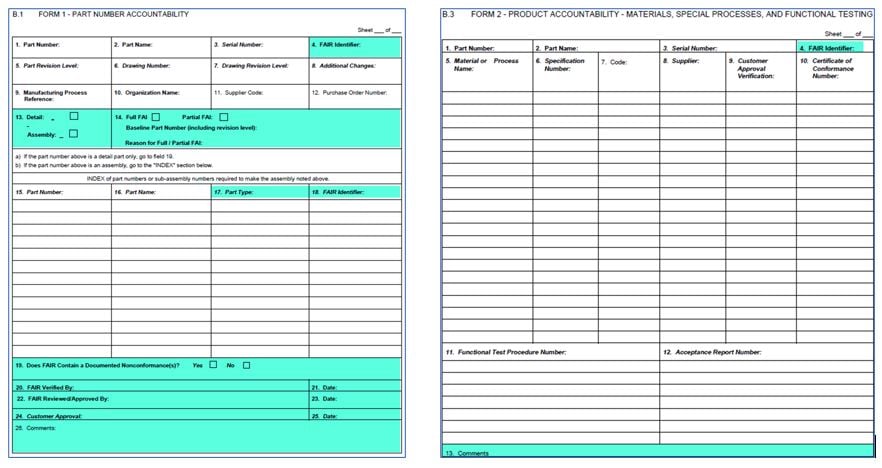
AS9102 Rev C Updates built-into TIP to fully comply with the latest standards
NC Description Added to Cause, CA, and Disposition Tabs
The NC description now appears in key workflow tabs so users no longer have to flip between screens to recall what the issue was. This saves time, reduces toggling between tabs, and helps ensure accurate root cause reporting and keeps resolution fast and focused.
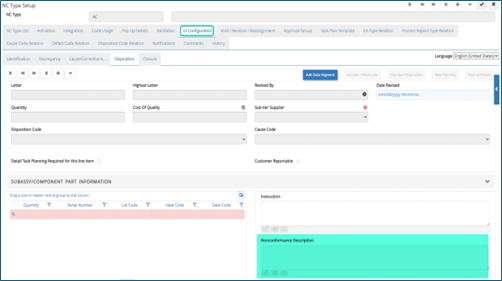
Nonconformance Description added to the UI configuration to allow users the ability to add to screens as needed
Manufacturing Plan, Change & Redline Comments in Work Order Header
Manufacturing plan and redline change justifications are now shown directly in the Work Order header, giving shop floor teams immediate visibility into why a change was made, enabling right-first-time execution.
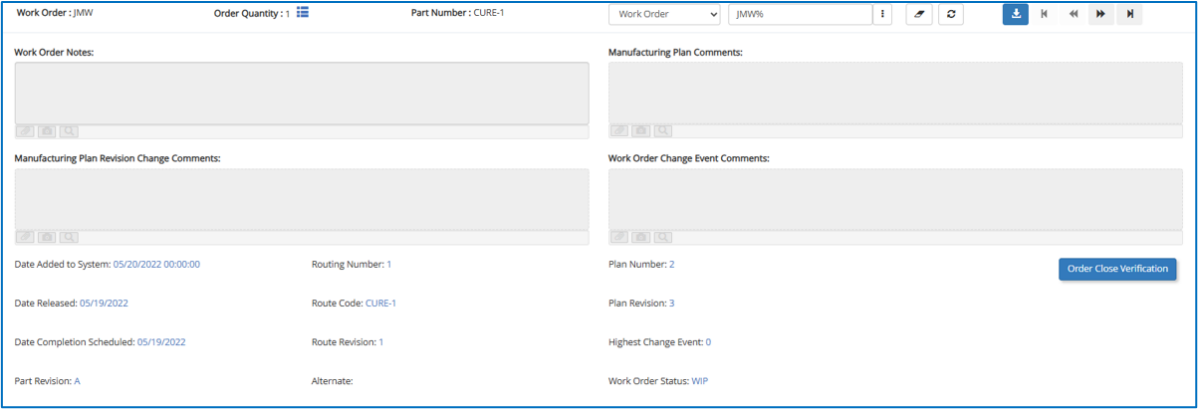
Shop floor personnel don’t have to miss important updates and ensure WOs are executed accurately
Smoother Transition from Legacy to TIP Web
If you’re currently using TIP Legacy, TIP 10.19 includes updates designed to make your move to the web version easier without disrupting your day-to-day workflows.
Recreated Legacy Pop-Ups in TIP Web
Commonly used pop-ups have been rebuilt in TIP Web based on direct customer feedback. These functions now mirror the legacy behavior, reducing the learning curve and preserving workflow continuity. Long-time users can adopt the web platform with greater confidence, without sacrificing familiar tools or retraining the team.
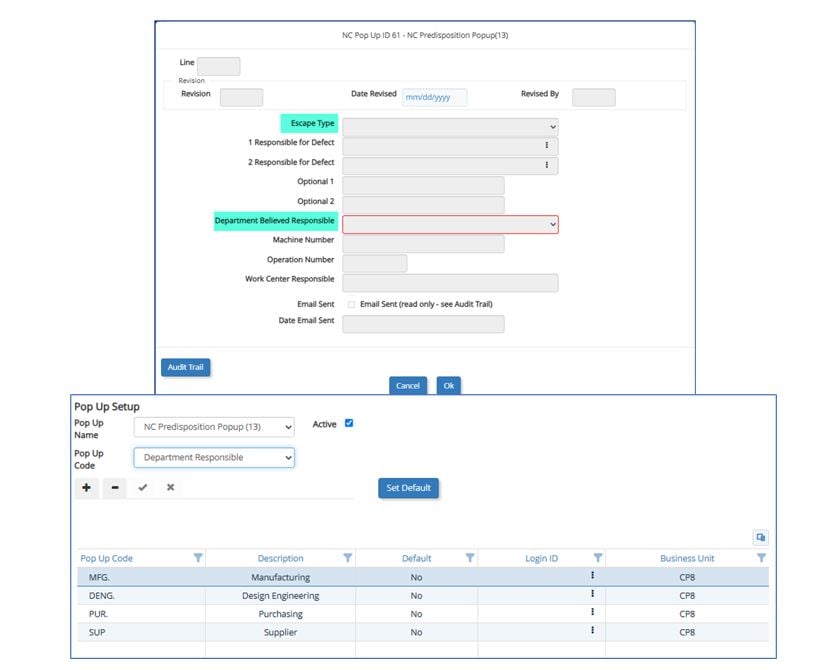
Rebuilt legacy Pop Ups for web with Preview, Auto Display and Print functions
Explore What’s New with TIP 10.19 in the Deltek Learning Hub
We’re also excited to share that with TIP 10.19, your team can now access the Deltek Learning Hub (DLH) directly from within TIP. DLH replaces the TIP Portal and serves as a cloud-based learning platform for on-demand training with intuitive navigation. Whether you're looking for help with new features, a refresher on best practices, or self-paced learning, you’ll find content curated specifically for TIP users to support ongoing success.
Key benefits of using DLH:
- Quick access to what’s new in TIP 10.19
- On-demand training to support user adoption
- Easy-to-use interface built for self-guided learning
- Users can also browse resources directly from DLH without an account, but we encourage you to create a free DLH account to unlock additional features including personalized learning paths, saved progress, and access to new training enhancements as they roll out.
While full search functionality within the DLH is still being enhanced for TIP, you can easily access all TIP 10.19 release materials and current resources today through the available TIP-specific page. You can also use dropdown filters to quickly sort content by product (TIP Technologies), resource type, content type, user role, and product area. Additional enhancements to the search experience will continue to roll out over time to make accessing TIP materials even easier.