You already use Microsoft Outlook to manage your contacts and business development activities. Now included with Vantagepoint CRM, Vantagepoint Connect for Outlook allows your teams to easily manage Vantagepoint information within Outlook to help turn more pursuits into projects.
See Vantagepoint Connect for Outlook in Action
Quickly Identify Client History
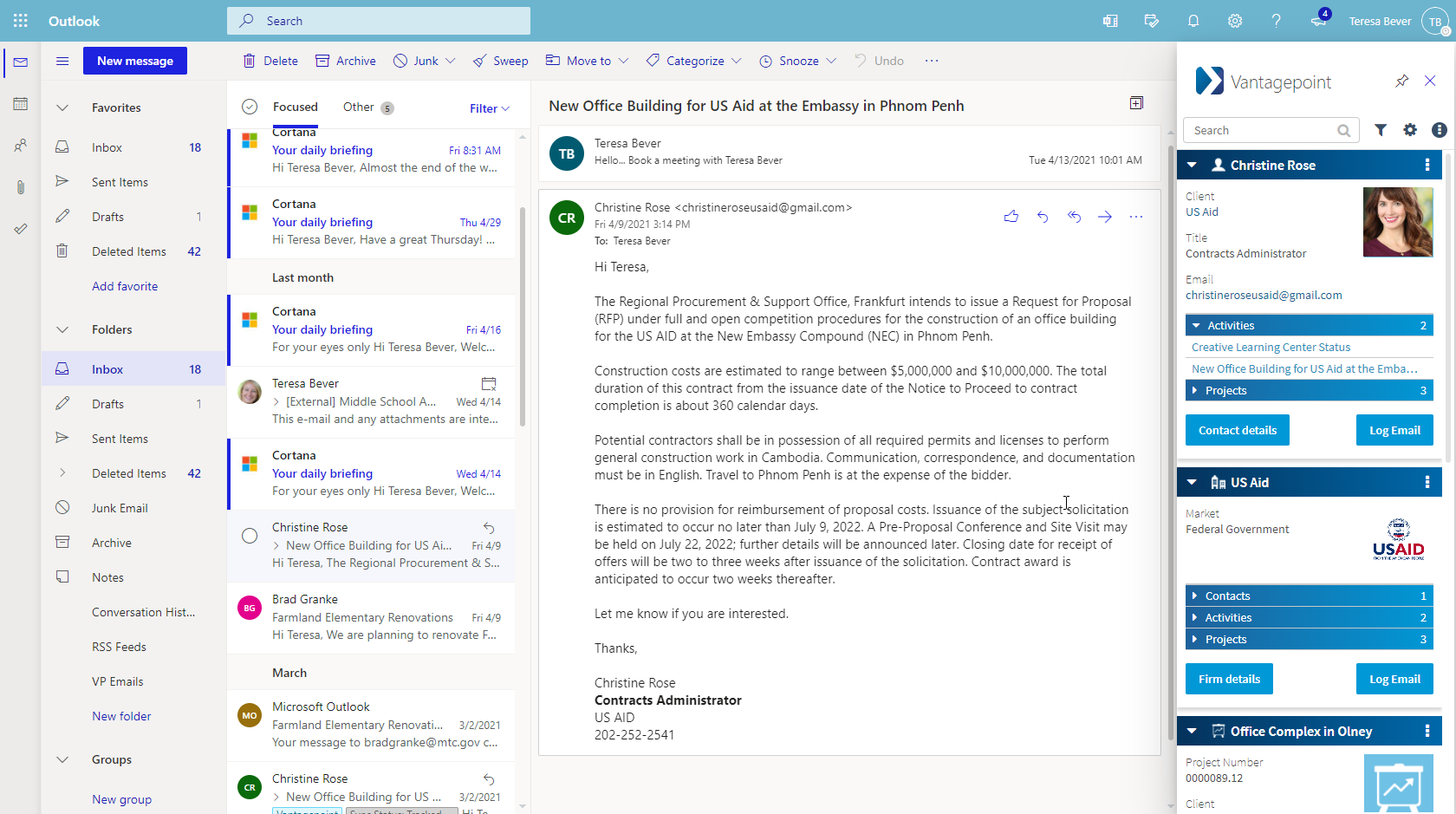
When you receive an email from a client, Vantagepoint Connect will automatically display Vantagepoint information within a contextual pane right in Microsoft Outlook, including contact and company information, recent activities and project details. If someone included in the email doesn’t exist in Vantagepoint, you can create a new contact with just a few clicks.
Log Emails within Vantagepoint
When a notable email arrives, immediately share the communication with the rest of your team by clicking ‘Log Email’ to create a Vantagepoint activity. The activity will include all contacts and employees associated with the email, their firms and the content of the email. Optionally, you can select a project and associate any email attachments to the activity.
Schedule Meetings Faster
After receiving an email from your client, use the scheduling assistant to quickly find a time to connect with your client and continue to nurture the relationship instead of wasting time going back and forth trying to find a time to meet. The scheduling assistant provides two options for booking meetings: sending your calendar availability and suggesting meeting times.
Sending Calendar Availability
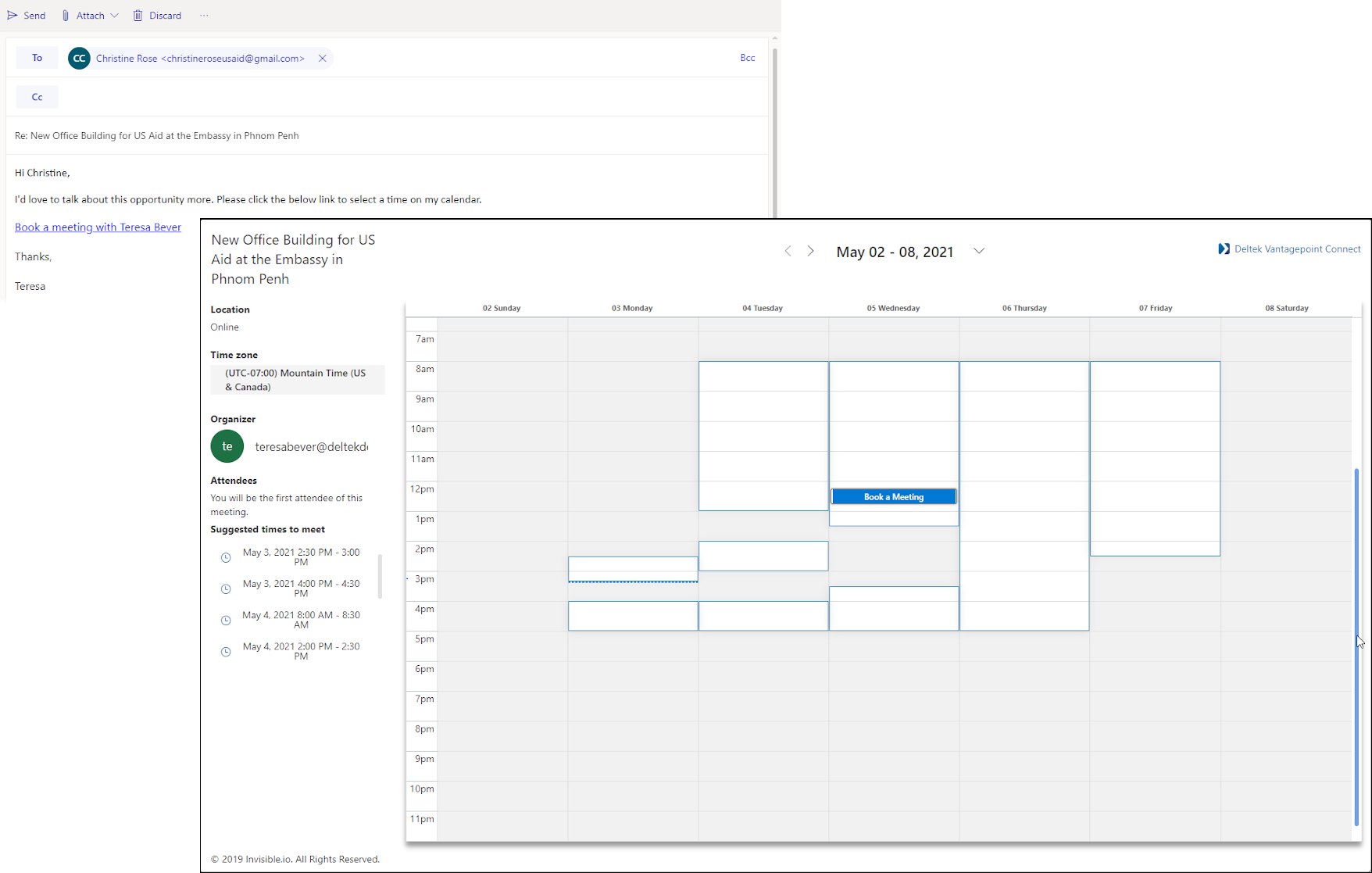
When you send your calendar availability, your client receives a link to your calendar so they can select a time that works for both you and them.
Suggesting Meeting Times
When you suggest meeting times, you give specific options from which your client can choose.
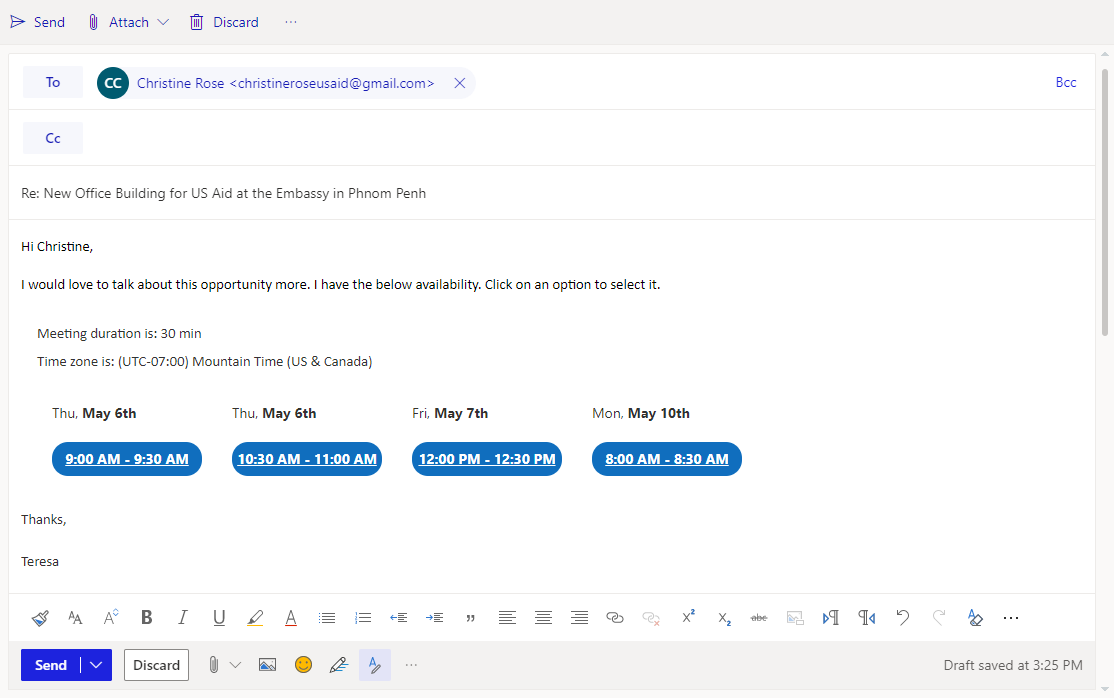
With either option, the meeting invitation is immediately sent from your calendar after they select the time, saving you time and frustration while keeping your company front and center with your client.
Capture Relationship Details
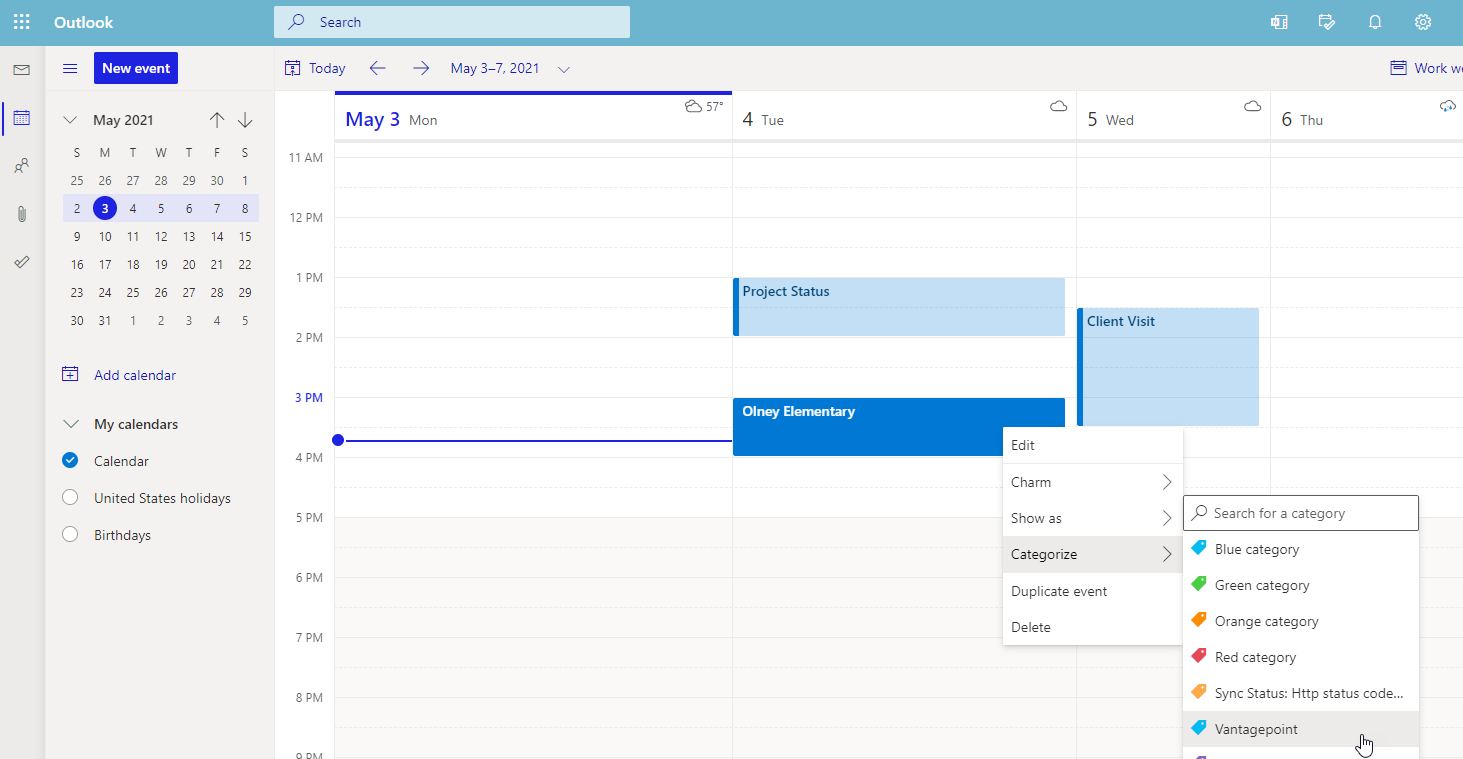
One of the most difficult challenges with any CRM is simply getting critical client information from employees. With Vantagepoint Connect for Outlook, you can easily bring siloed information from everyone’s inboxes and individual calendars into Vantagepoint CRM. Business developers can add the Vantagepoint category to any meeting on their calendar to quickly log it into Vantagepoint. Vantagepoint Connect will automatically include all employees and contacts in the activity and you can optionally associate a project. This eliminates duplicate entry, uncoordinated contacts and outdated client records so it’s easier than ever to collaborate on clients and pursuits.
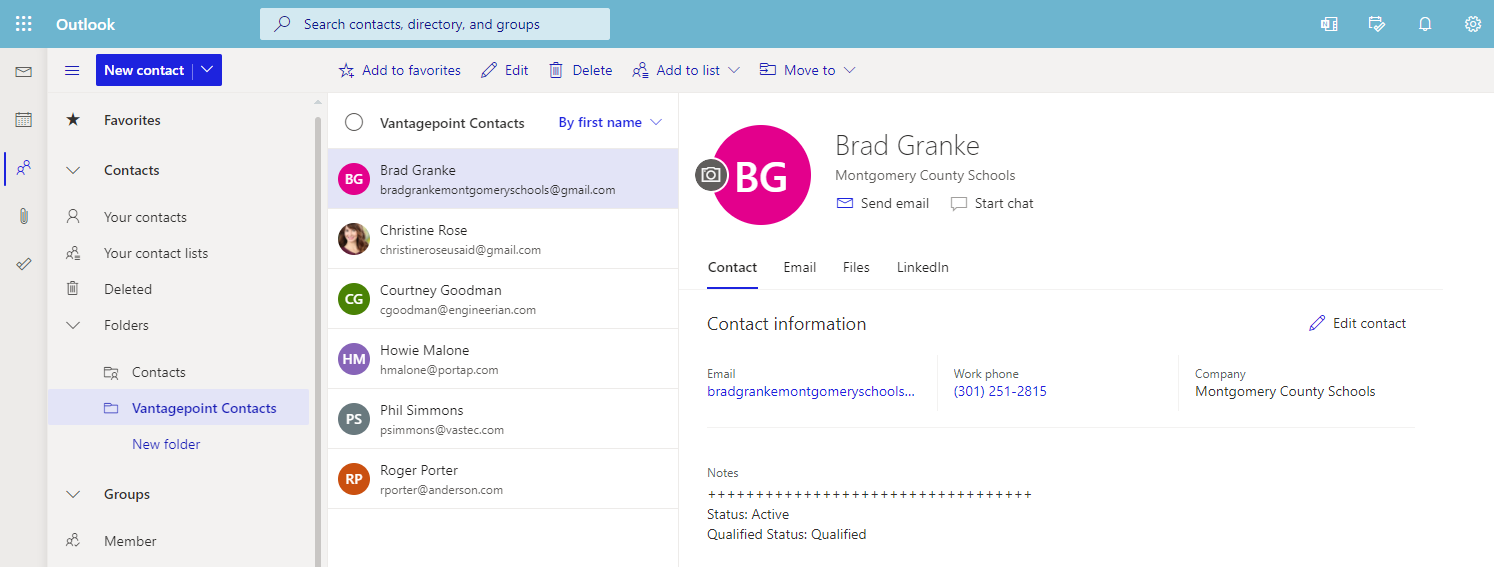
Contacts can be added to Vantagepoint just as easily by moving them to a Vantagepoint Contacts folder in Outlook.
By allowing you to access and edit Vantagepoint CRM information from the comfort of Outlook, Vantagepoint Connect for Outlook will encourage the use of Vantagepoint, boost employee productivity, and ultimately ensure you are nurturing your client relationships.