Automatic bank feed in Deltek Ajera allows you to link your financial account to Ajera, providing the ability to automatically upload banking transactions directly into Ajera. Ajera’s automatic bank feed feature is supported by more than 11,000 banks within U.S. and Canada with plans to expand the supported banks in the future.
This new feature helps streamline your current bank reconciliation process by automating the import of bank transactions into Ajera, then matching the bank feed transactions to the payment and deposit bank entries within Ajera. This will replace the manual process of matching bank statements with the bank reconciliation in Ajera with a one-time connection process and nightly refresh of recent bank transactions and running a match in Bank Reconciliation.
Setting up your automatic bank feeds is easy. Check out this video to watch it in action.
In order to get started, connect each bank within Deltek Ajera settings with your actual bank. The step-by-step connection process will walk you through selecting and logging into your bank, then picking which account you want to connect. Banks that require multi-factor authentication or OAuth will provide a similar process with the additional steps to enter credentials.
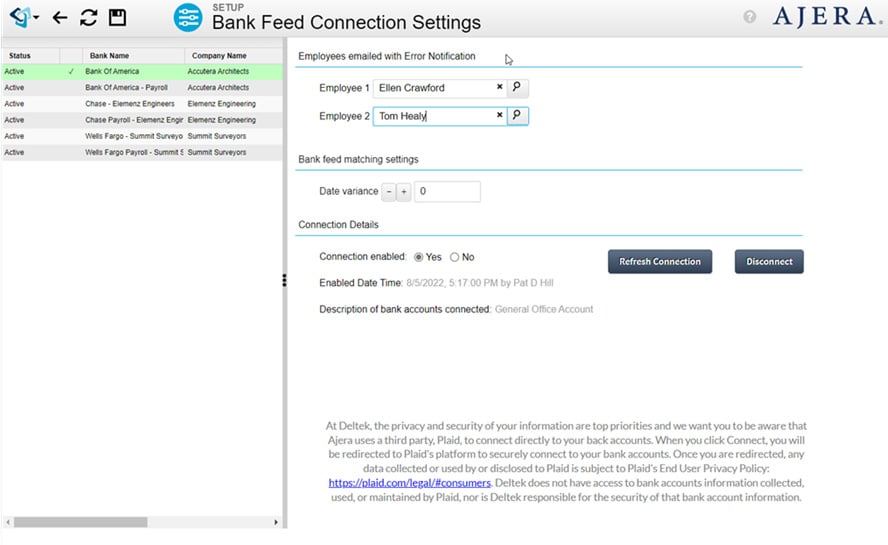
Once your account is connected, banking transactions that have cleared your bank will be automatically updated into the Ajera bank feed table each night and are available to match in the Bank Register > Reconcile tab. In addition to the nightly update, you can manually refresh the transactions throughout the day to check for new transactions with the new Bank Feed button in the Reconcile tab.
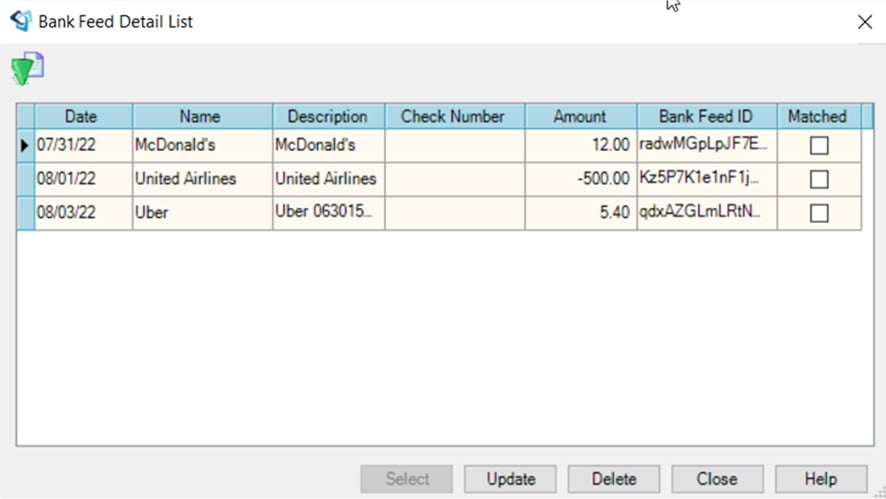
Use the match button to match the bank feed transactions imported from your bank with the bank entries in Ajera. Payment will match on the amount and check number or amount and date and receipts will match on the amount and date.
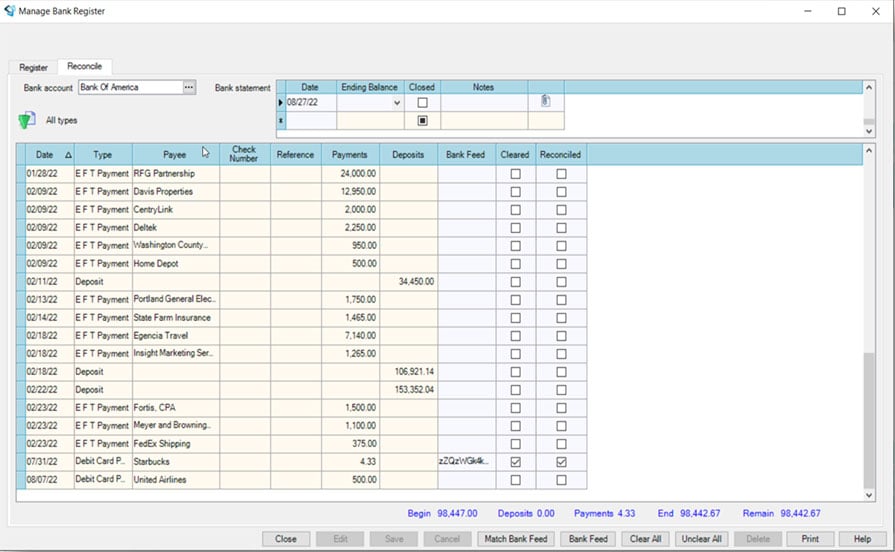
The new automatic bank feed feature provides clear visibility into your banking transactions as well as an easy solution to reconcile your bank statement on a more regular basis.
This feature is available to all Ajera users, so be sure to set this up for your firm today so you can stop wasting time on manual processes.