With every release of Deltek Vantagepoint, we are looking for ways to up-level resource planning based on user feedback and innovate by adding new features that will improve a project manager’s ability to deliver successful and profitable projects.
Efficiently Manage Project Schedules with Schedue Dependencies
In today’s business environment, with continued staffing shortages and an increase in project costs and opportunities, it is critical that project managers (PMs) carefully manage their project schedule to ensure on-time delivery of active projects. Recent Vantagepoint releases have focused on helping PMs manage their projects with a visual and interactive project schedule. With the introduction of an interactive Gantt chart in an earlier release, PMs can be more efficient in how they manage their schedule. For example, PMs can shift dates or change duration within a project by simply dragging and dropping or resizing Gantt bars.
With Vantagepoint 5.5, schedule management has been taken to the next level. Project managers can add schedule dependencies by adding relationships between phases, tasks and/or labor codes on a project to represent how the work will be delivered. There are numerous benefits to the more visual and interactive project management and a few of these have been highlighted below.
Create a Critical Path
With Vantagepoint, project managers can build a visual schedule and identify dependencies that allow PMs to quickly understand, react and adjust the project schedule. By adding schedule dependencies, if a project is delayed or work slips, the PM can quickly understand and communicate the impact to the overall schedule, to key dates and most importantly if it will impact the project end date.
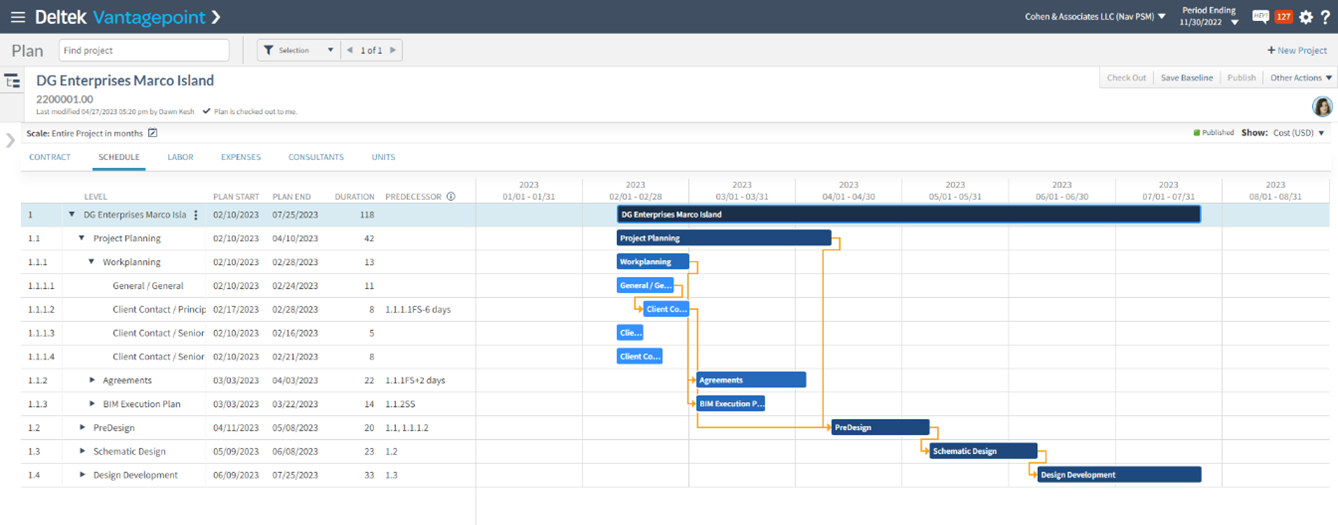
Quickly understand, react to and adjust the project schedule
Streamline Project Schedule Updates
Adding dependencies increases a PMs efficiency and accuracy. When a project’s schedule changes, which it inevitably will, updating one date will automatically update all impacted successor dates. This saves a PMs time from having to update each task individually and ensures they haven’t missed a task while in the process.
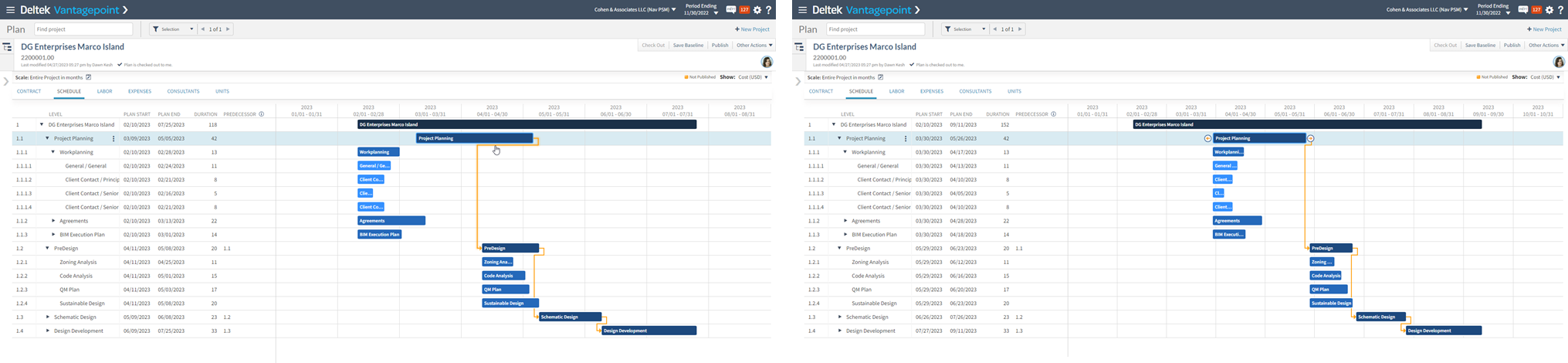
See project impact when updating one item on the schedule
Visualize the Project Schedule with Dependencies
With this feature, PMs can quickly view and understand their project schedule and all dependencies without needing to read through a bunch of dates. The schedule can also be exported into many formats directly from the Gantt chart, to be included in a proposal, the contract or shared with the client during schedule conversations.
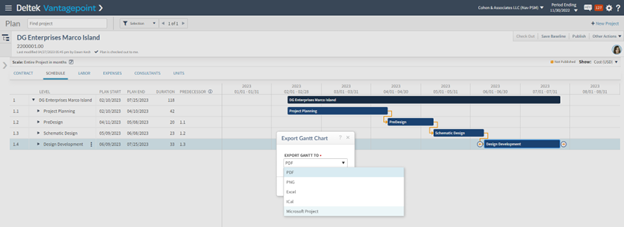
Easily export the project schedule to be included in other documents
Interactive, Flexible and Enjoyable to Use
The schedule dependencies feature can be used in various ways depending on preference or the current device being used by the project manager. Since this is an interactive Gantt chart and PMs are visual people, we have found the most popular way is to draw the dependencies between Gantt bars on the screen. With great usability, this feature has been called “enjoyable” and “beautiful,” leading to higher adoption and positive impacts on both projects and the firm as a whole.
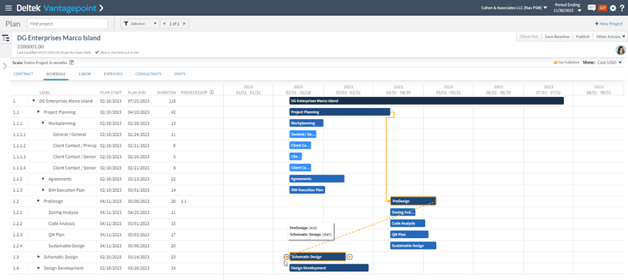
Easily identify the schedule dependencies on Gantt charts
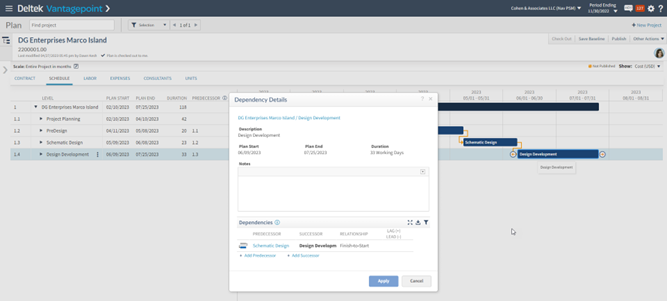
Set up dependencies to maximize efficiency when schedules change
“The new schedule dependencies feature is great. Now project managers can easily build and adjust schedules from within Vantagepoint, while still being able to share a Microsoft Project Plan with clients, consultants and the design team.”
– John B. Boehms, Director of Operations, Hastings Architecture, LLC, Early Adopter Participant
Better Manage Total Project Costs with Unit Planning
With the increased need to carefully monitor and accurately predict all project costs, PMs now have the ability to plan for units in Vantagepoint 6.0. This capability allows a firm to plan in quantities as written in their contracts, for example, if they need to plan for site visits, survey crew, tests, inspections or any other quantity-based project cost. In doing so, project managers can identify how much of their contract needs to be allocated to units and then the PM can plan for the units in the appropriate calendar periods. They will then be able to easily analyze how they are working against plan and contract.
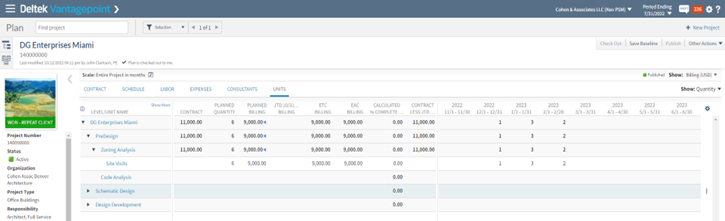
Monitor total project costs through unit planning
Project managers will find immediate benefit with these new and intuitive features to ensure their projects are delivered within scope, on-time and on-budget.