Deltek Vantagepoint dashboards empower employees with the right information at their fingertips. The latest version of Vantagepoint continues to expand the information readily accessible via dashboards, allowing more tasks to be completed from the dashboard, delivering more control over dashpart calculations and improving how and when data is available. Let's take a look.
View Upcoming Project Assignments
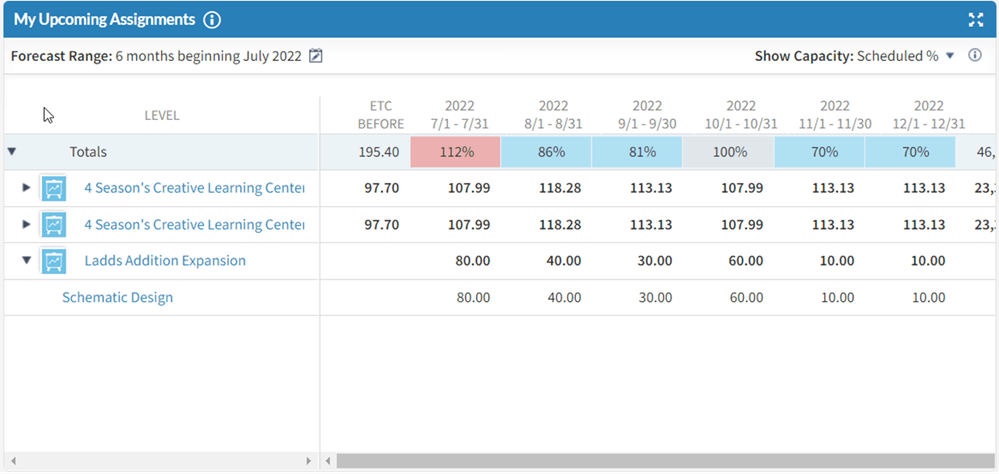
Time and effort is put into planning a project to determine who will work on the different phases of a project and when the work will occur. With the new My Upcoming Assignments dashpart, employees can now view their project assignments directly from their dashboard and can quickly identify the upcoming work planned for them within a self-defined forecast range. To start using this dashpart, administrators can add it to any dashboard from the dashpart library.
Predict Future Revenue
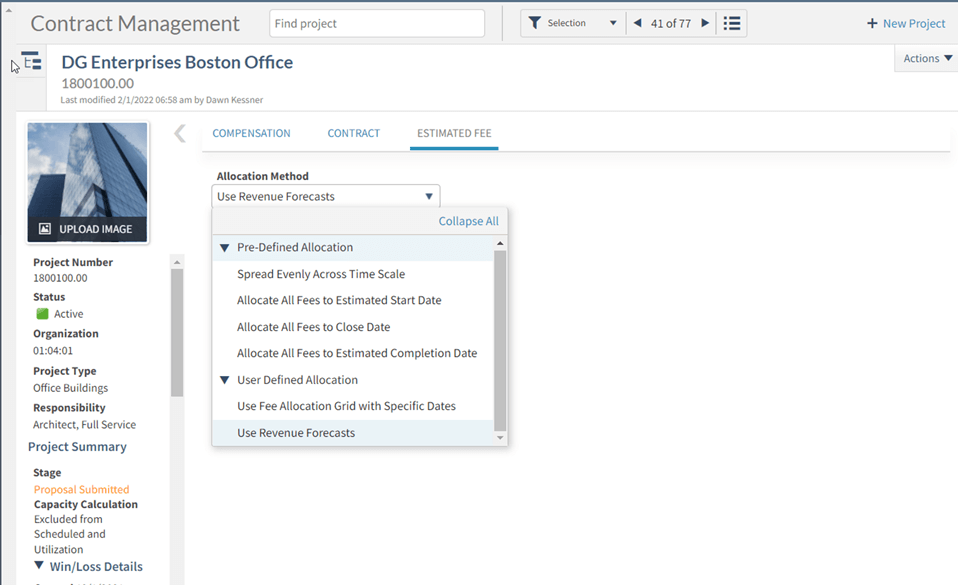
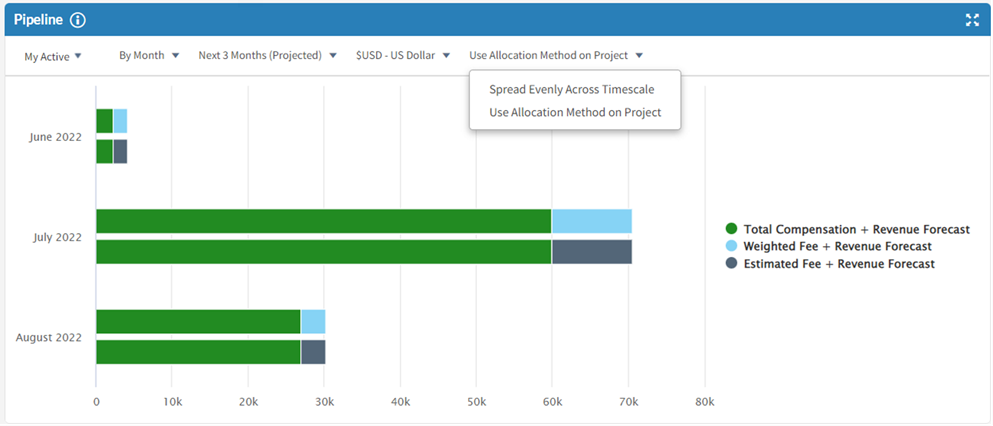
The Pipeline dashpart provides a visual summary of estimated fees and predicted revenue for projects. With the latest release, users can forecast the project revenue based on the allocation method defined within the project, including revenue forecasts. This option provides more control on how users are viewing future revenue.
Further Refine Useful Metrics
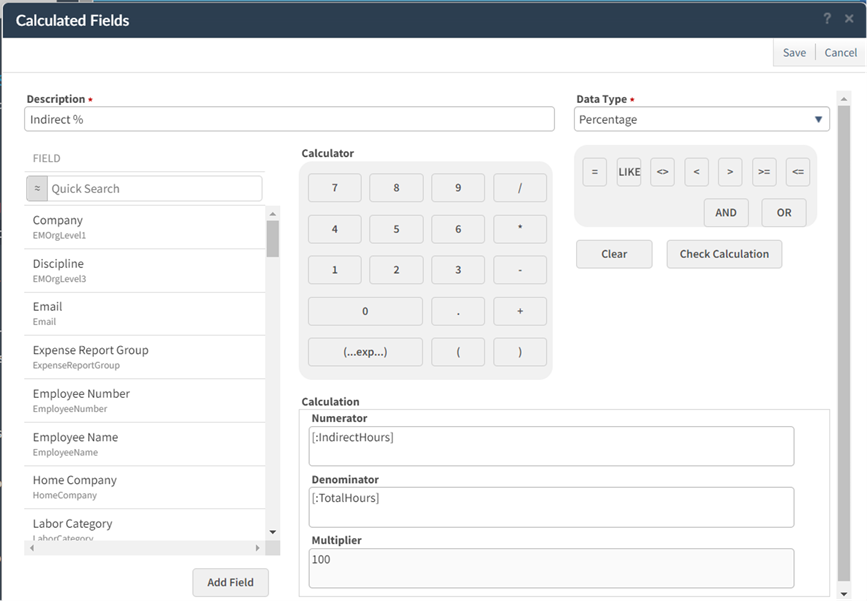
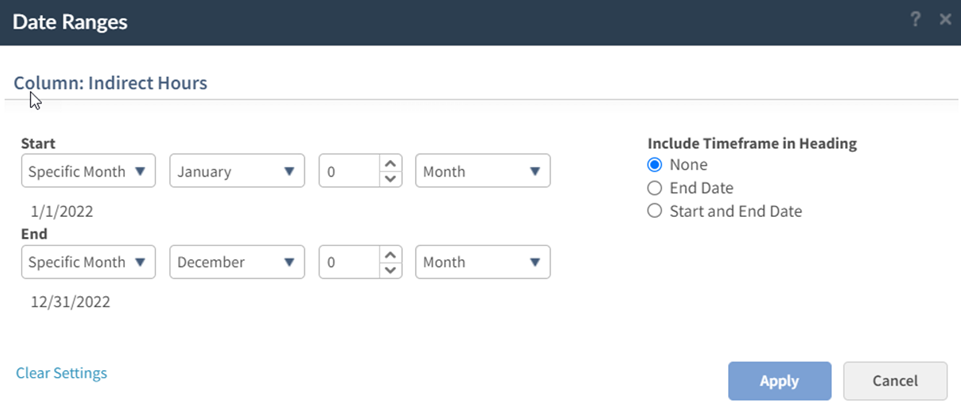
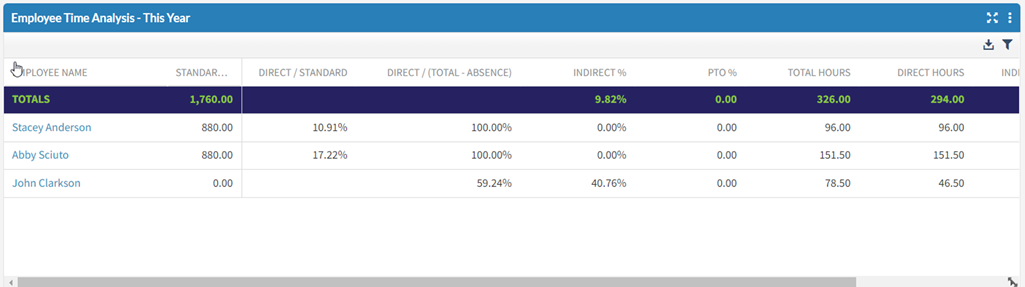
Creating effective metrics is easier with the recognition of date ranges in calculated fields. Calculated fields enable users to create custom metrics meaningful to the company. The latest release allows date ranges to be applied to the calculated field. As an example, if businesses deem that viewing percentage time entered to indirect projects this year is important, users can create that calculated field and apply the date range within the dashpart designer.
Provide Accounts Receivable Comments Easier
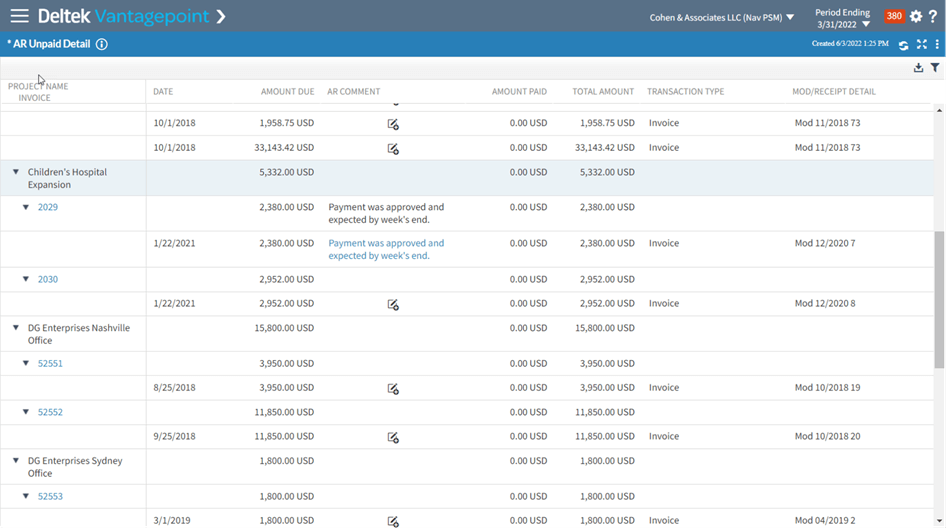
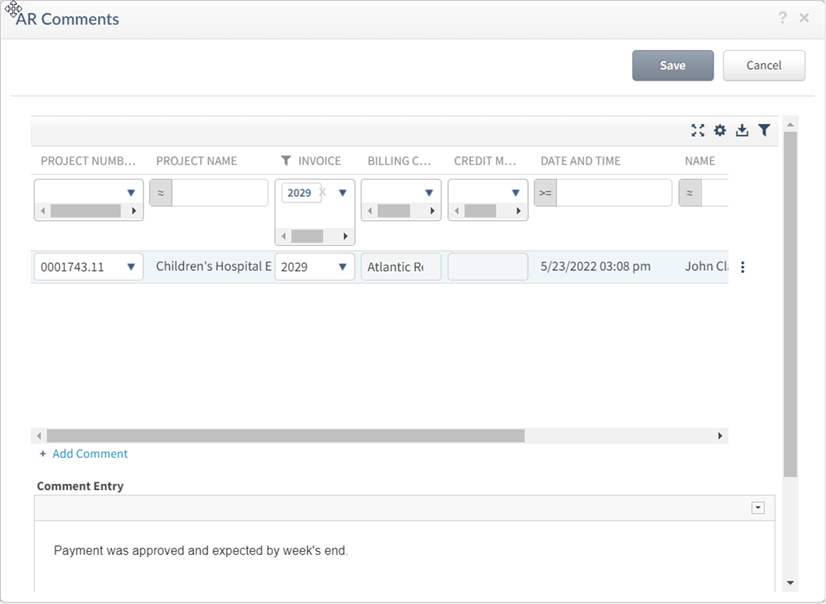
The latest release introduced the new Accounts Receivable (AR) Detail base providing the ability to view AR Detail directly on a dashboard. This latest release enables project managers to enter AR comments directly from the dashpart by clicking on the AR Comment cell. This action opens the same AR Comments dialog available in the Projects Hub provides a single place to view AR Detail information on dashparts and taking action with AR Comments in the same screen.
"I like the ability to add comments to the AR detail dashpart, while others with access can view and edit those comments to improve collaboration. Very nice enhancement!"
– Terry Sanderford, Business Manager, Fluhrer Reed, PA
Early Adopter Participant
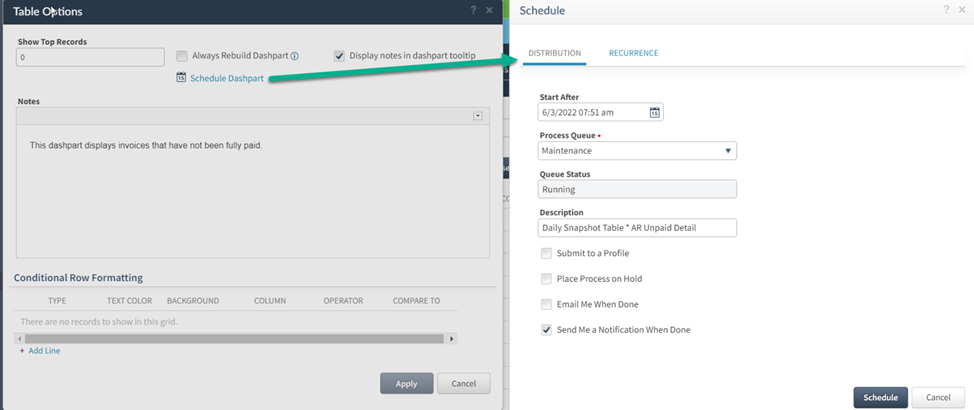
Schedule Dashpart Snapshot Updates
Also as part of the latest release, administrators can schedule the update of dashpart data with the Table and Chart dashparts option. This allows the update of the dashpart snapshot to take place outside of working hours, so dashparts set to not always refresh will automatically load for employees faster without having to wait for the snapshot to be created.
Each release of Deltek Vantagepoint expands the versatility of dashboards that can help empower your employees. To stay abreast of improvements and learn how to better use dashboards, register for upcoming Town Halls.