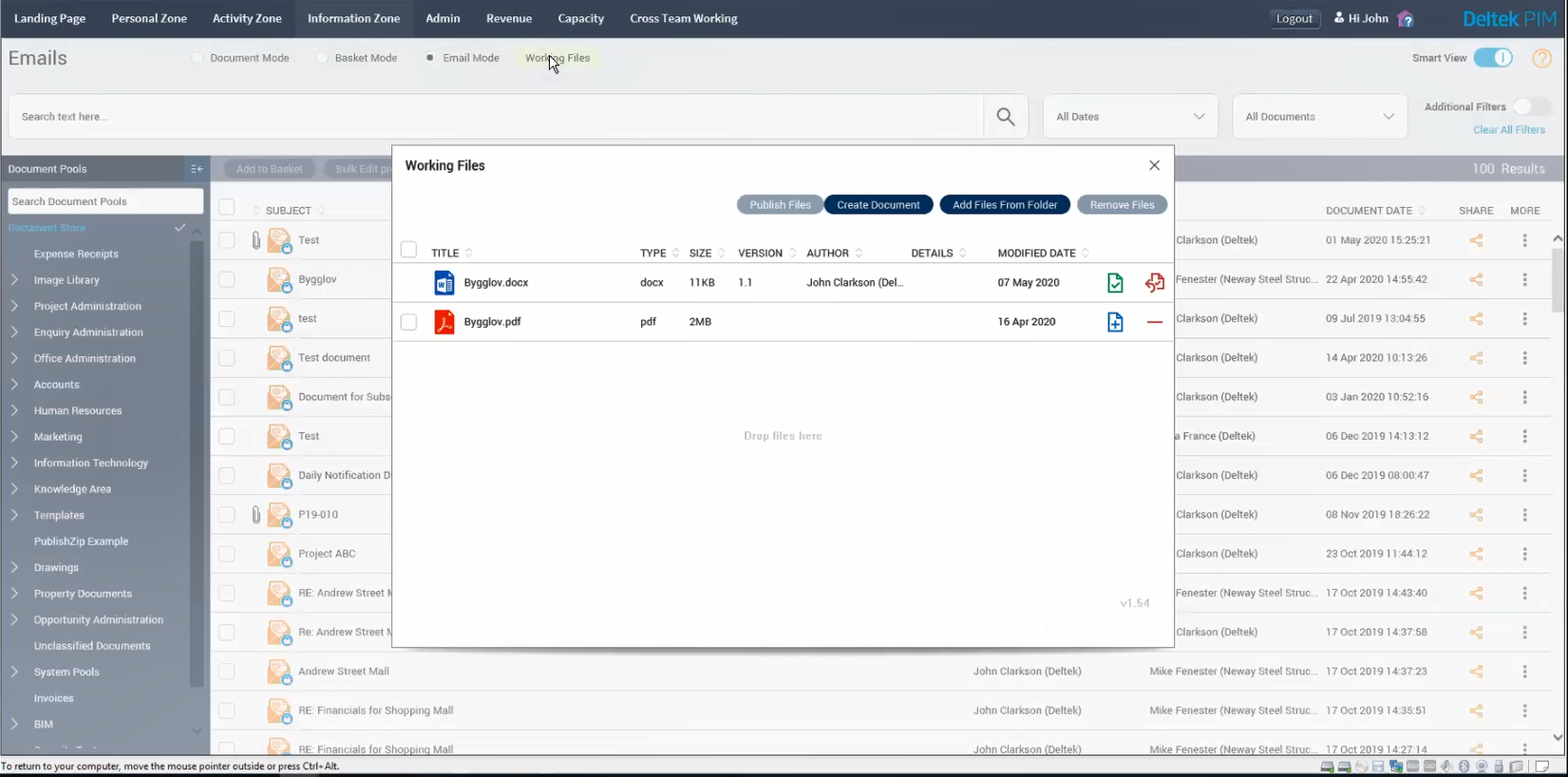
The number of documents associated with design and construction projects is daunting. From drawings and reports to contracts and schedules to checklists and specifications, documentation always is being generated, consumed and updated. With Deltek Project Information Management (Deltek PIM), all documents are stored in a central location and they’re indexed via metadata (data about the data) so that you can find any document you need in only a matter of seconds.
The 20.0 release of Deltek PIM introduces a new and improved document management system (DMS). This new ‘smart view’ is still as powerful with its unmatched searching capabilities as the ‘classical view’ our customers have learned to love. But the ‘smart view’ is easier to navigate for those novice users or those who don’t interact with the system frequently.
While we highlighted the new user interface in a recent blog, let’s take a deeper dive into some of its features and functionality.
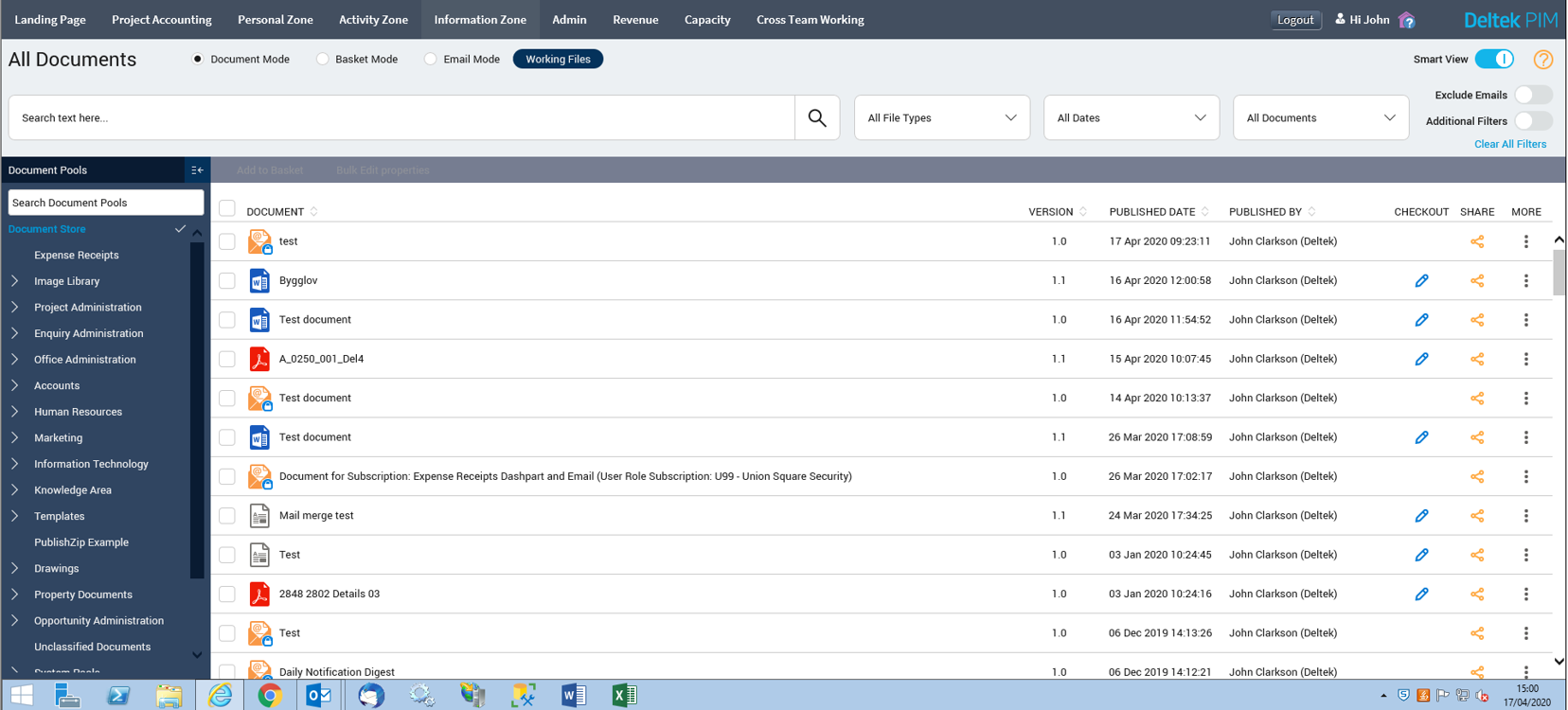
Simplified DMS User Interface
The document management system (DMS) now provides an updated and modern user interface (UI) without sacrificing the searching power of PIM. The new UI cuts down on the “noise” in the classic view of the DMS, taking advantage of plenty of white space that makes it easier for the user to navigate.
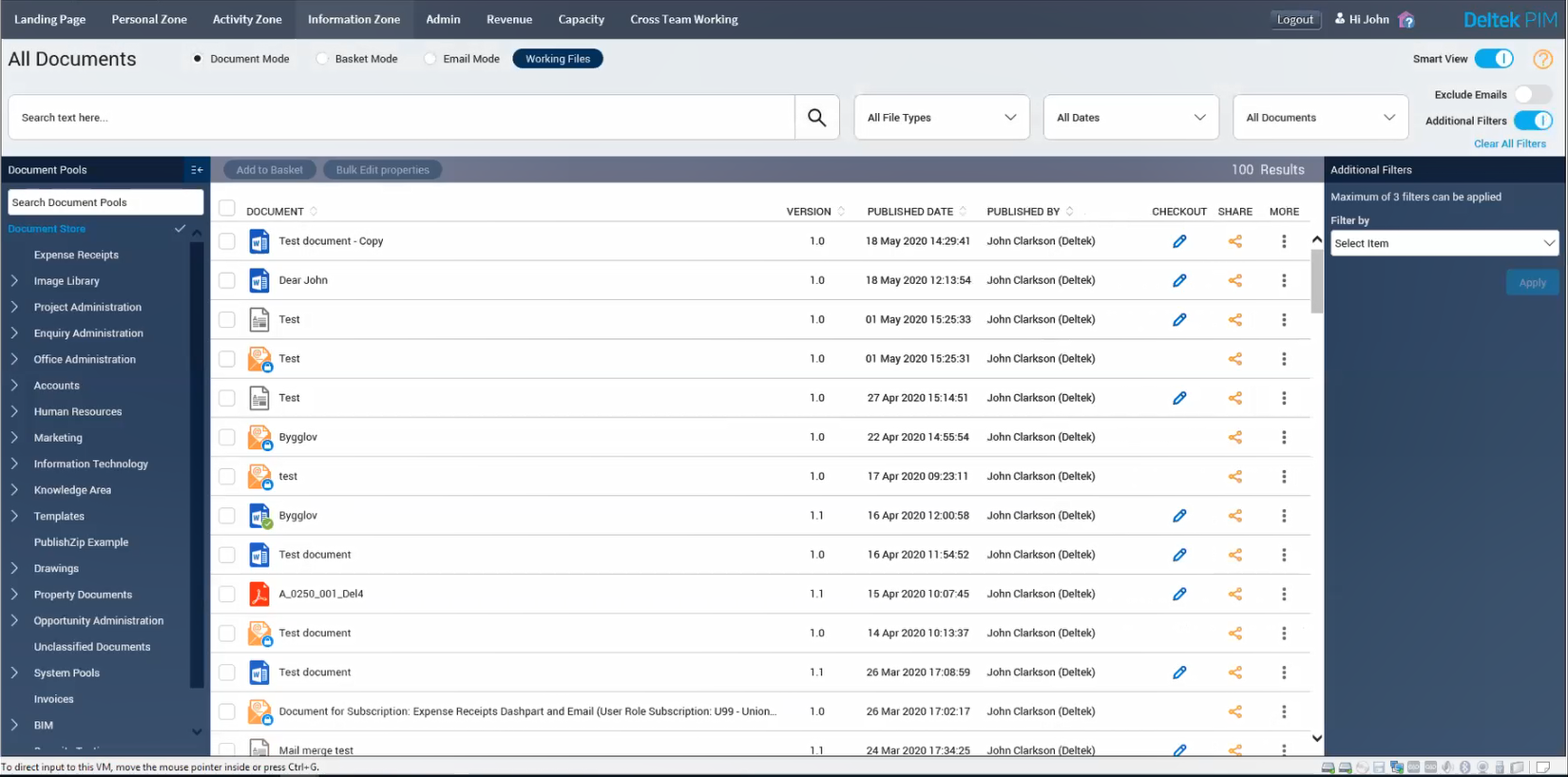
Simpler Filters
In the new ‘smart view’, the most used or popular filters are available at the top of the screen to help users narrow their search (i.e., file types – Microsoft Word or PDF, date range). If you need to apply additional filters to narrow your search, you can add up to three additional filters along the right side of the screen.
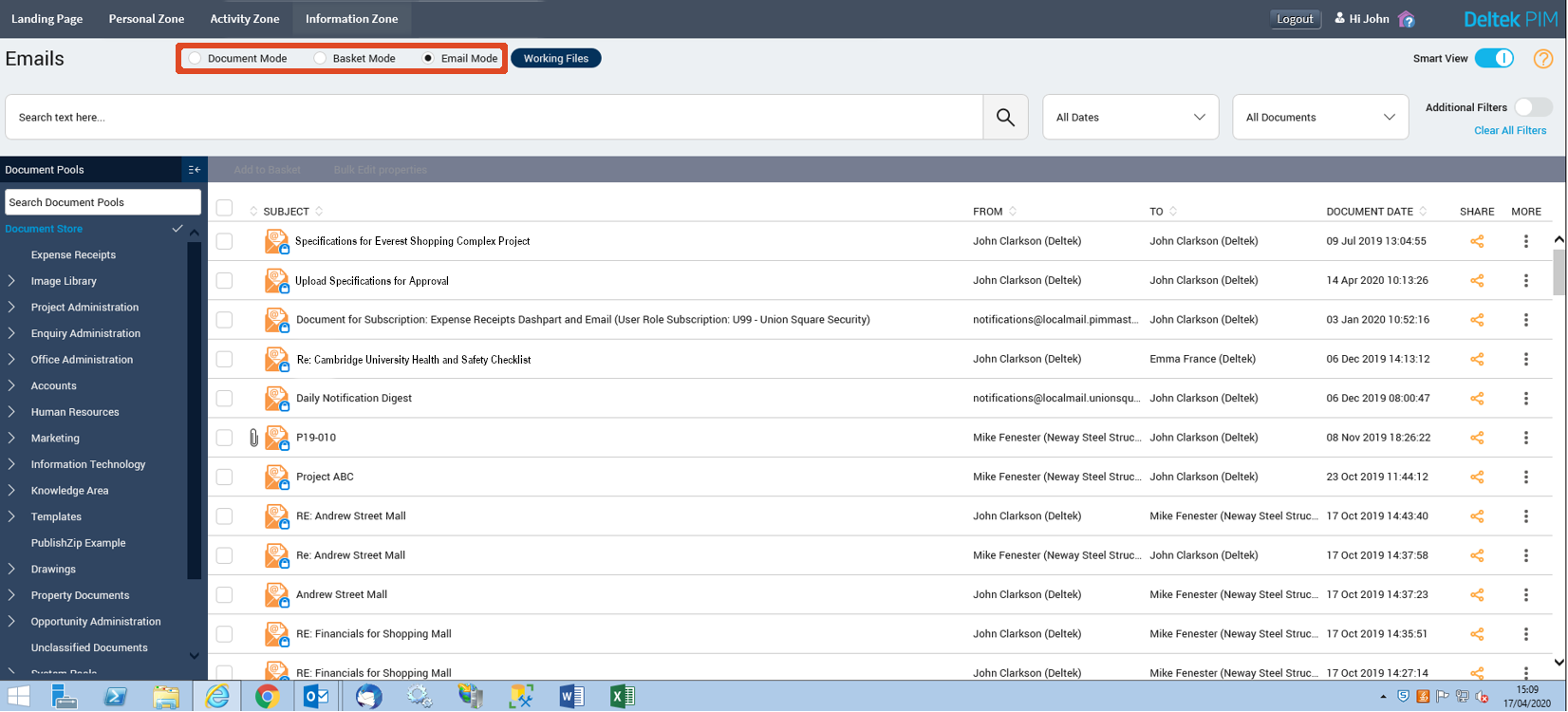
Introduction of Modes
We have introduced the concept of modes: Document Mode, Basket Mode and Email Mode. Simply, these are additional filters to help users find the documents they need more quickly.
- Document Mode: This mode displays all documents within the DMS.
- Basket Mode: This mode allows users to see and manage their baskets and contents.
- Email Mode: This mode displays only emails that meet any search filters already defined.
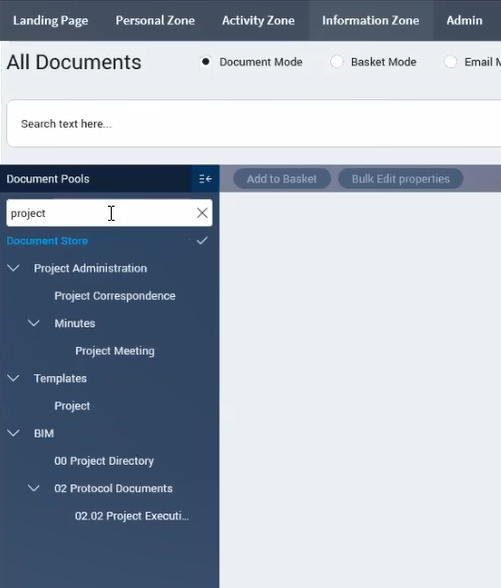
Search for Document Pools
Some companies have a robust pool structure within their DMS, which can make it difficult to navigate for some users. The new ‘smart view’ addresses this by now allowing users to filter the document pools displayed via keywords along the left panel.
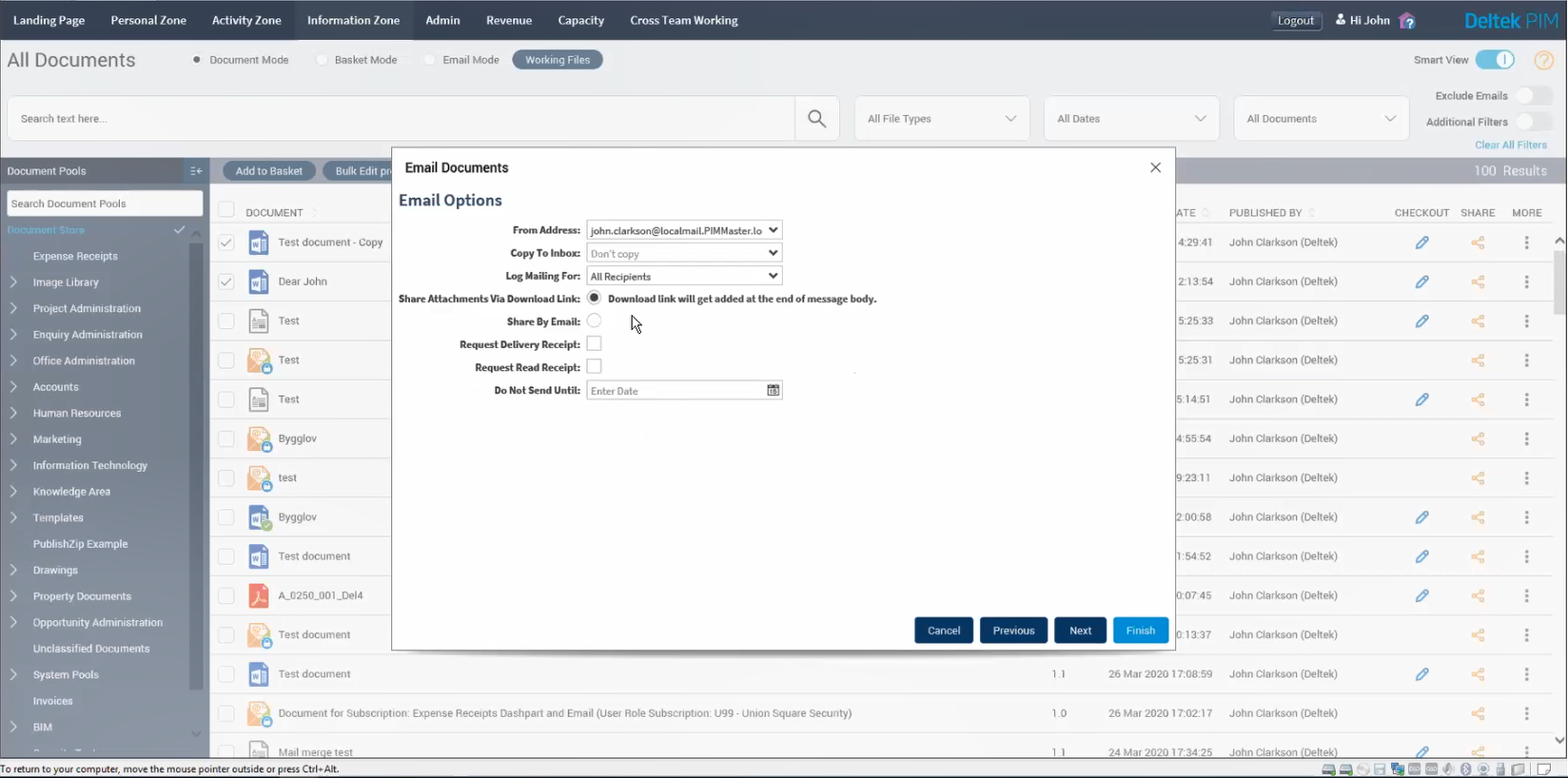
Share Documents
By clicking on the share icon on the right, users can easily share documents via attachment, a link to the document in the Deltek PIM system and now through a downloadable link added to the body of an email message. The latter is most useful when needing to share a document with external Deltek PIM users.
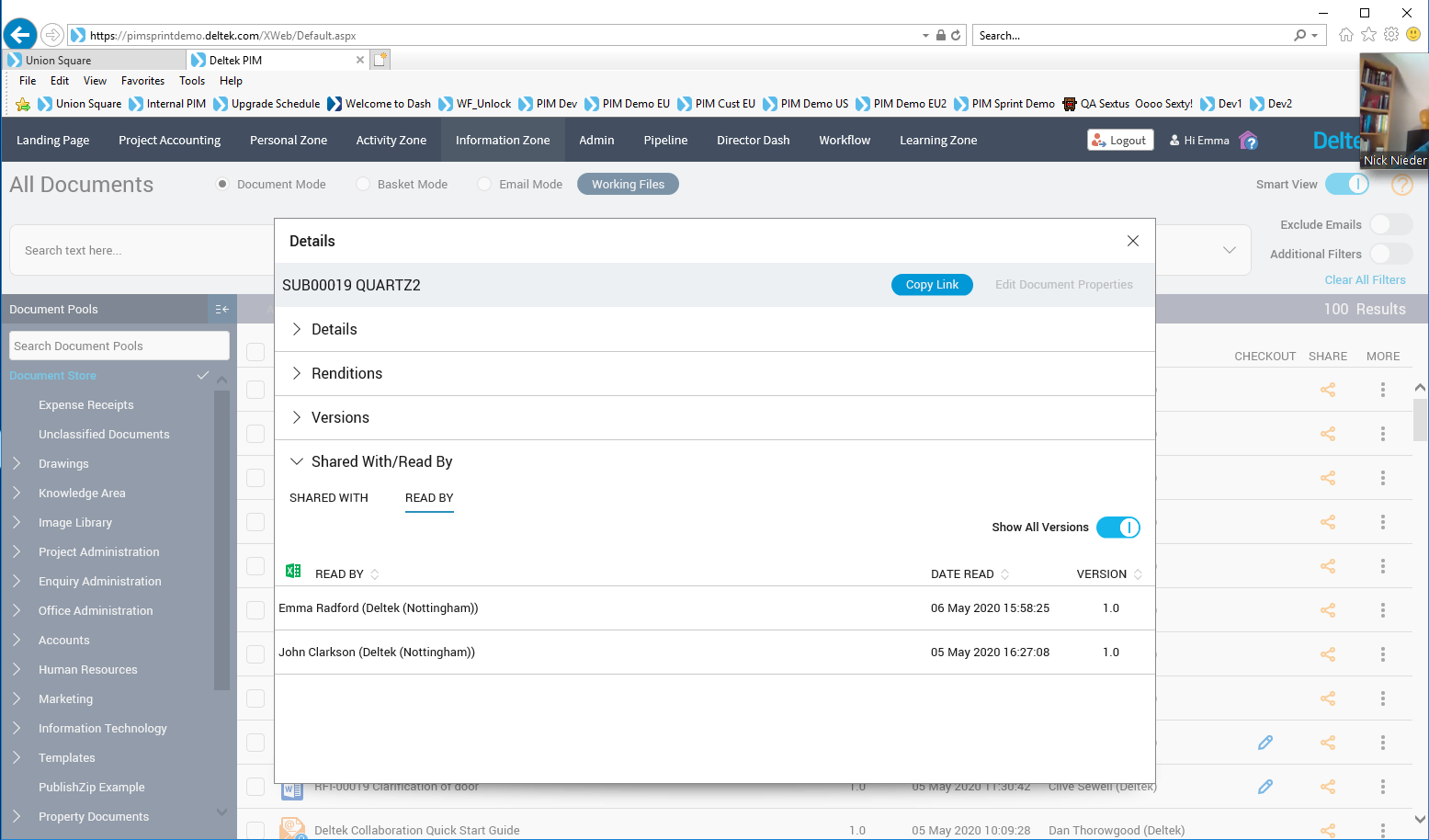
The system will keep track of who the document was shared with, including if those individuals have read the document.
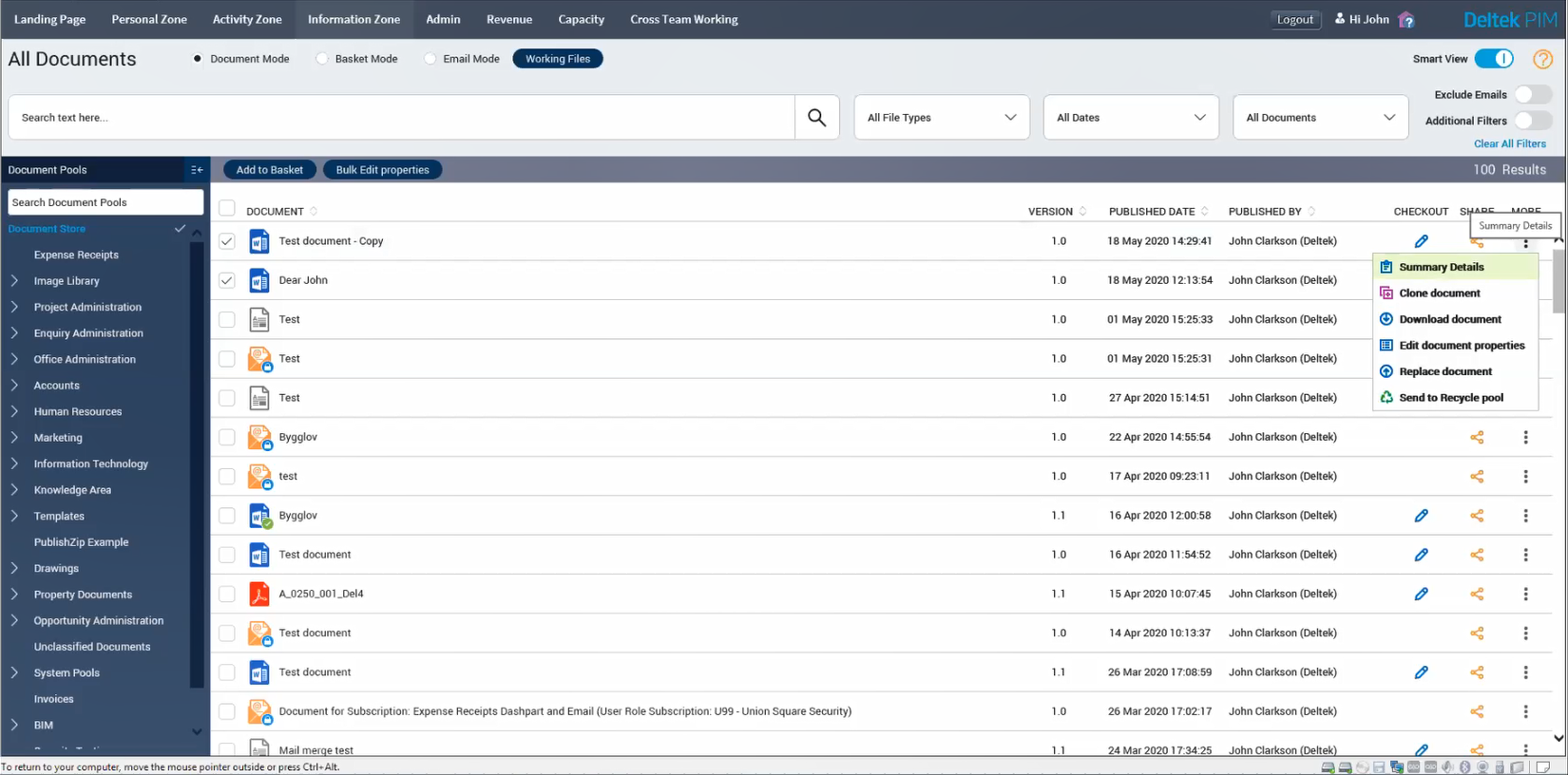
Additional Details and Tools
Via a drop down menu, users can perform a variety of actions on any given document. This includes viewing details of that particular file, editing document properties and cloning the document for a new project.
Working Files
The technology behind the Working Files functionality has not changed, but you’ll notice the user interface has been updated alongside the DMS.