Creating new contacts in Vantagepoint is easier than ever with the new business card scanner now available in the Vantagepoint CRM mobile app.
Users can quickly create a new contact or update existing contact records by snapping a picture of a business card in Vantagepoint Mobile CRM. Early adopters have been particularly excited about this new feature.
"I especially like the business card scanner enhancement in the Vantagepoint Mobile CRM app. This will make adding new contact information effortless for all!"
– Terry Sanderford, Business Manager, Fluhrer Reed, PA
Early Adopter Participant
Capture Contact Details with Intelligent Character Recognition
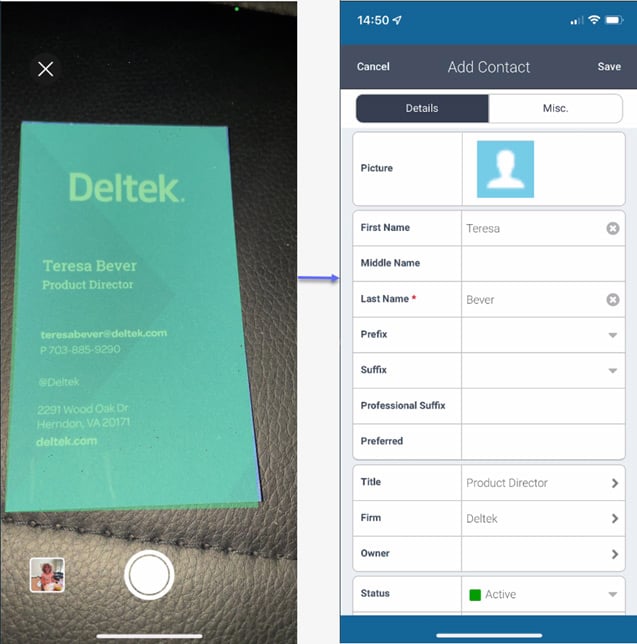
Mobile CRM uses Intelligent Character Recognition (ICR) to read information from a business card and populate the new contact form within Vantagepoint. Machine learning is used to improve the accuracy of the business card scanner as more business cards are scanned over time. ICR even can read handwritten notes on the card.
Avoid Duplicate Contact Creation
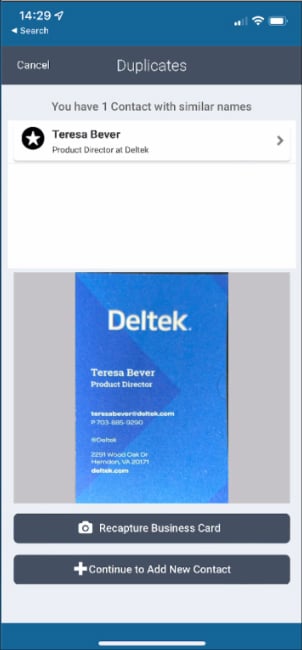
Vantagepoint will check if a contact already exists to ensure duplicates are not created. If there is a duplicate, users can simply edit the existing contact or create a new contact record if there are two people with the same name.
After Mobile CRM populates the contact form, users simply can input any additional details and save.
"I love the business card scanner feature; it is so easy to use."
– Brison Coldiron, Assistant Database Administrator, Kimley-Horn
Early Adopter Participant
Now is the time to Enable Mobile Business Card Scanner for CRM
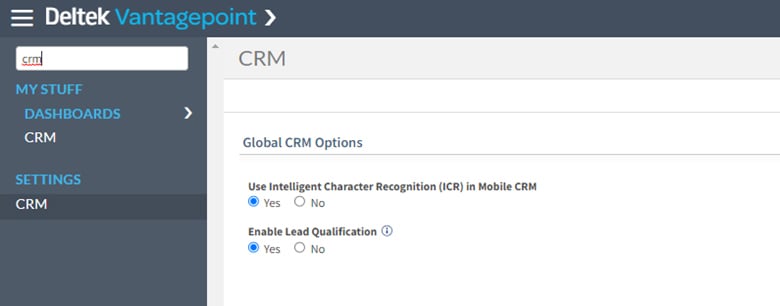
Note that your administrator must first enable ICR in Vantagepoint CRM settings to allow teams to begin using this exciting new feature.
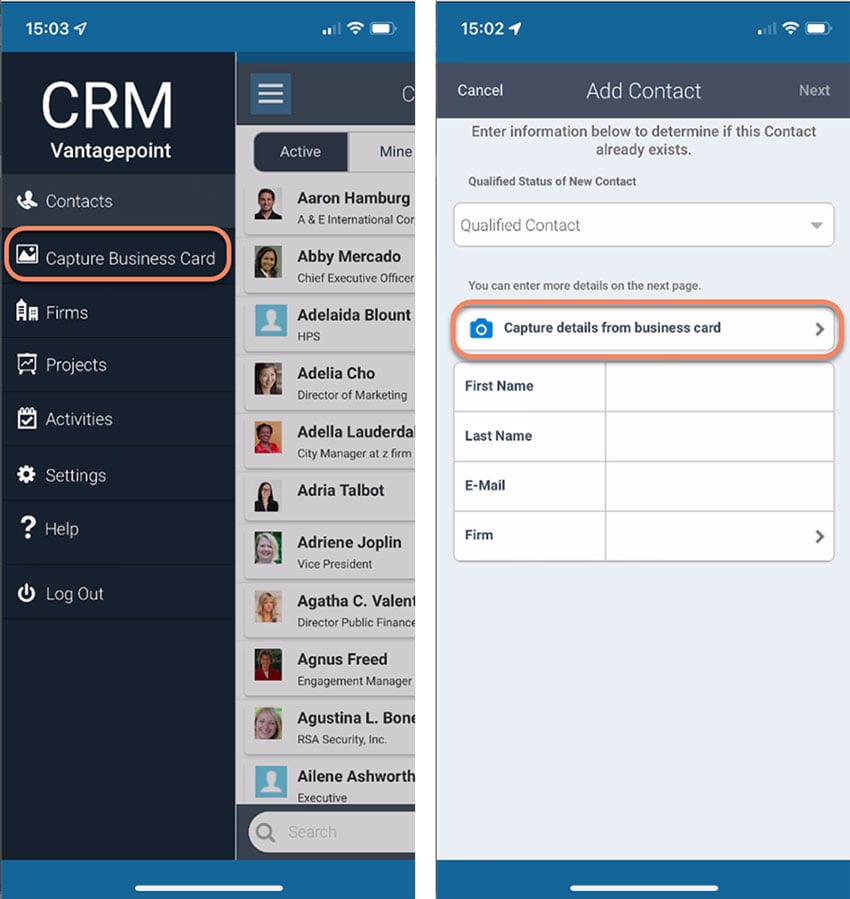
Once enabled, users will see the option to create a contact from a business card from within the Vantagepoint Mobile CRM menu and from the new contact form.
Creating new contacts will literally be a snap!
If you have CRM and aren’t using the Vantagepoint Mobile CRM app, now is the time to work with your administrators to set it up and make it available for your business developers, project managers and more!