Deltek PIM is a powerful document management solution, allowing users to upload documents and manage edits to those documents using PIM’s Working Files feature. However, users still struggled with Working Files’ outdated interface, compatibility with modern browsers and general ease of use. Deltek is constantly looking for ways to enhance the user experience, making our products easy to use. As such, we are proud to announce that the latest release of Deltek PIM takes managing your files to the next level with Local File Management.
Local File Management (LFM) delivers the same functionality as its predecessor Working Files, along with the following new enhancements to help users more easily manage project documents and work in their preferred internet browser.
"We really valued being part of the Controlled General Availability program to test the features of Local File Management. The new features are great and we love the new user interface. We saw it as such a huge improvement that we already rolled it out to all 750 of our users."
David Walsh, Ridge & Partners
Publish Multiple Documents from Windows Explorer
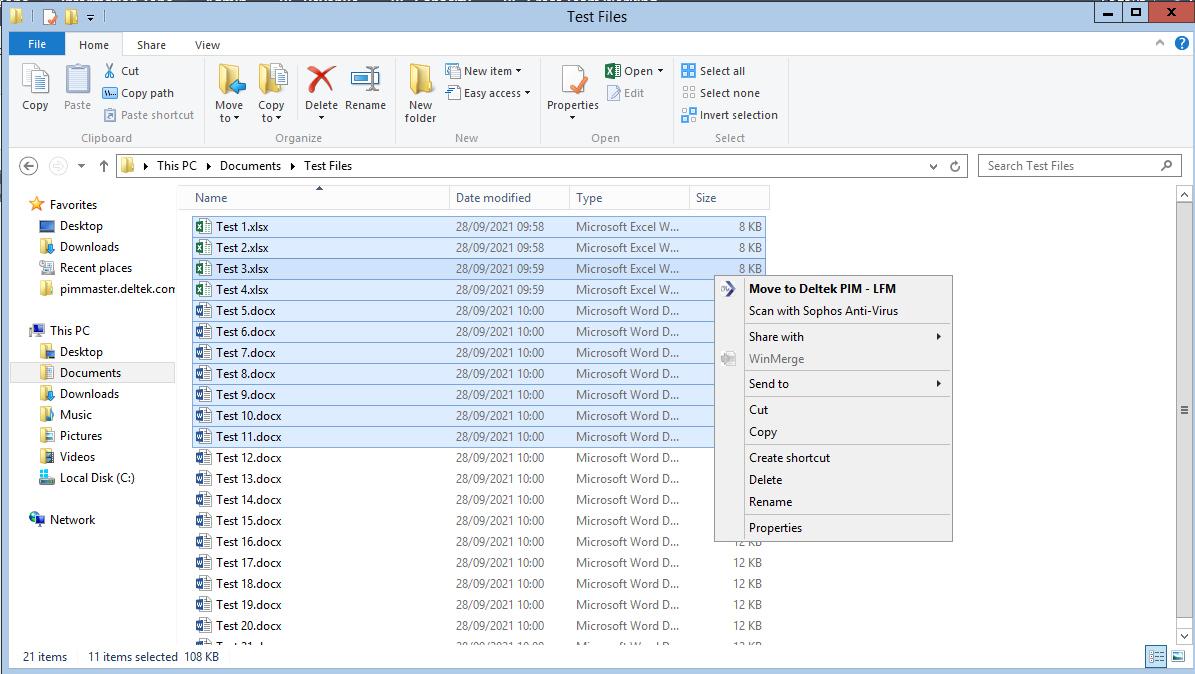
Save time uploading multiple documents into Deltek PIM at once. While in Windows Explorer, users can right-click on a single or multiple files, then select “Move to Deltek PIM - LFM” to quickly move documents into the “working files” section of Deltek PIM. This is beneficial to users who want to file previously created documents or documents received from subconsultants and vendors alongside the rest of the project information in PIM, for example.
Quickly Publish Multiple Checked-Out Files
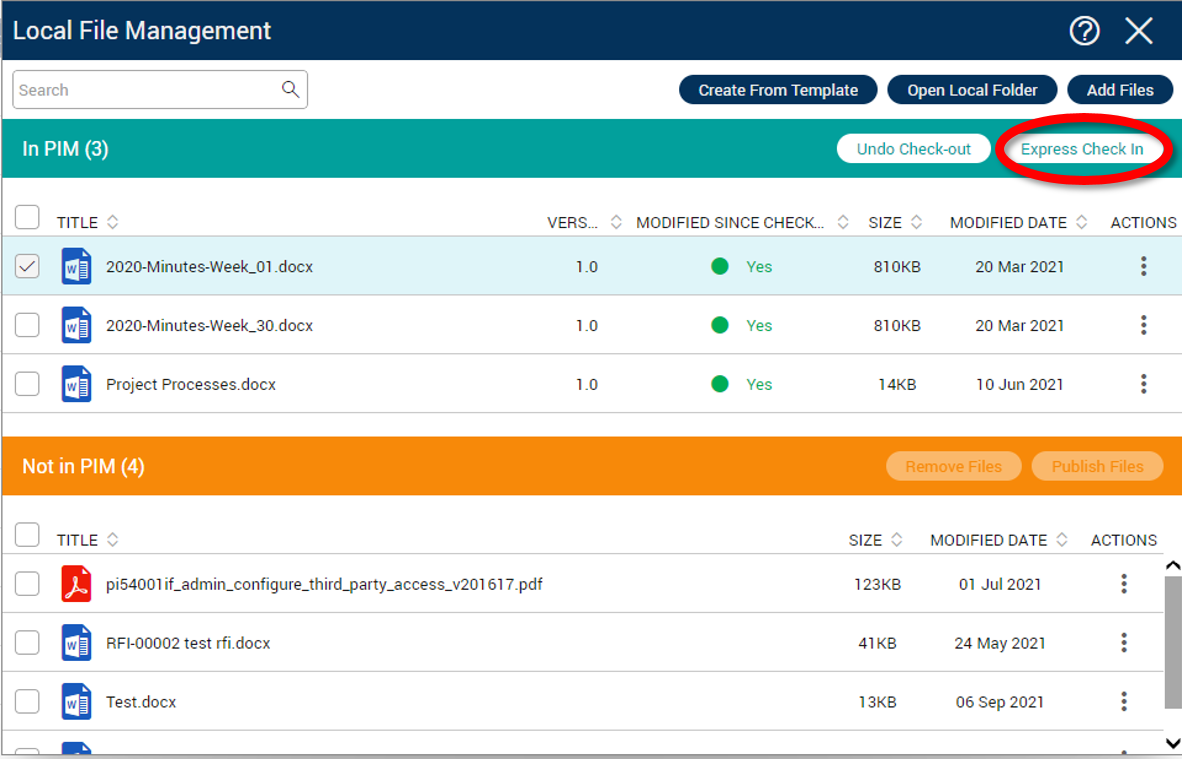
The new Express Check In feature allows users to re-publish multiple checked-out documents at the same time. These files will be published back into Deltek PIM to their previous location along with their existing attributes, while automatically updating the version number.
Easily Identify Modified Documents
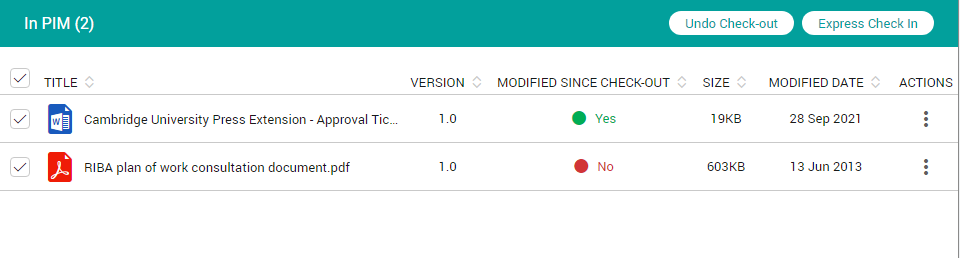
The ‘modified since check-out’ column allows users to easily identify if the document has been modified since check out. The simple indicator displays if any modifications have been made to the document since it has been checked out. This allows the user to understand if there are any changes that will be overwritten or not saved if the user chooses to Undo Check-Out.
Monitor Progress of Document Publishing
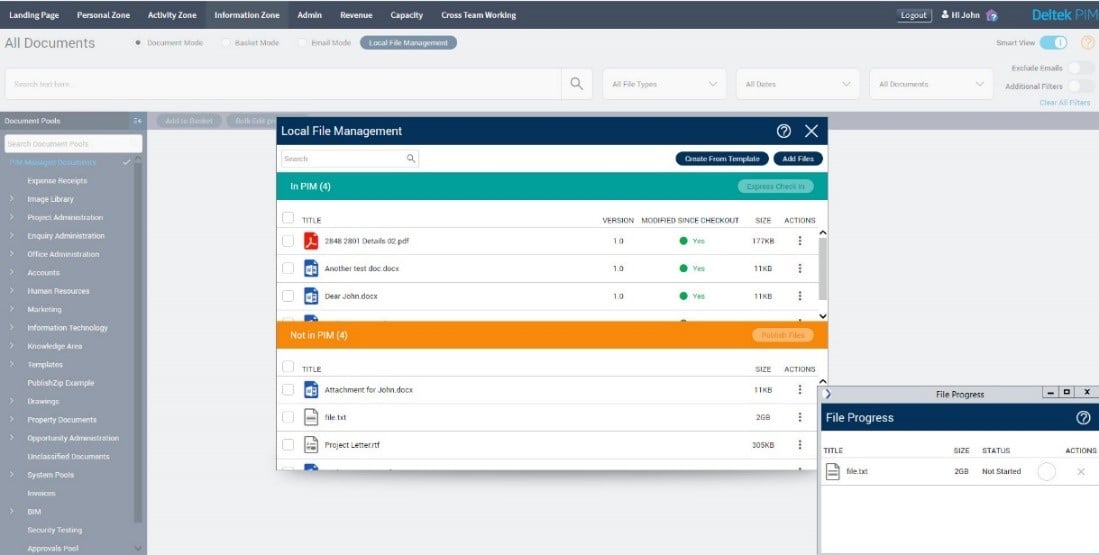
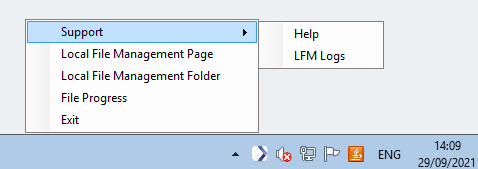
The File Progress window shows the real-time upload progress. This feature allows users to monitor the status of document uploads, particularly when uploading multiple and/or large files.
Access Tool with Ease
With easy access of the Local File Management tool from a system tray icon, users can quickly launch the Local File Management tool in a browser, view document upload progress, access online help and more.
Work from Any Browser
Built on new technology, Local File Management now works consistently across modern browsers, eliminating the dependency on Internet Explorer.